
You do not have to remember the exact words you copied. Describe what you are after, the way you would say it to a person, and Ask turns that into a search of your own clips, reads what it finds, and answers in a sentence, with the real clips underneath.
Tap the search icon, then the sparkles at the end of the search field, and type a question like "the wifi password" or "hotels I copied for the trip". It is free, and every result is a clip you actually copied.
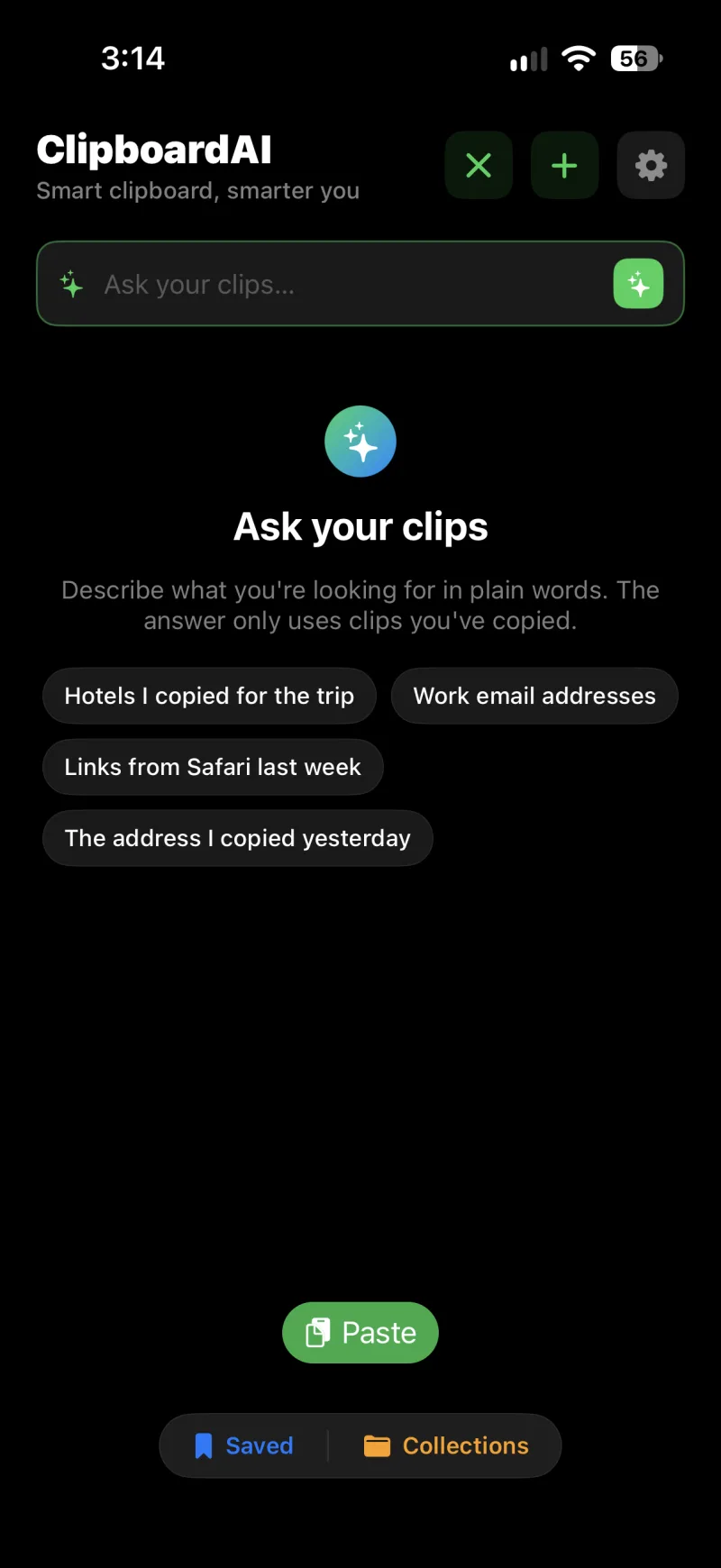
Ask a question on iPhone
- On the home screen, tap the magnifying glass in the top corner.
- Tap the sparkles at the right end of the search field. The field switches to Ask your clips and a few example questions appear.
- Type your question in plain words and tap Go. The answer arrives in a moment, with the matching clips listed under it.
Ask on Mac
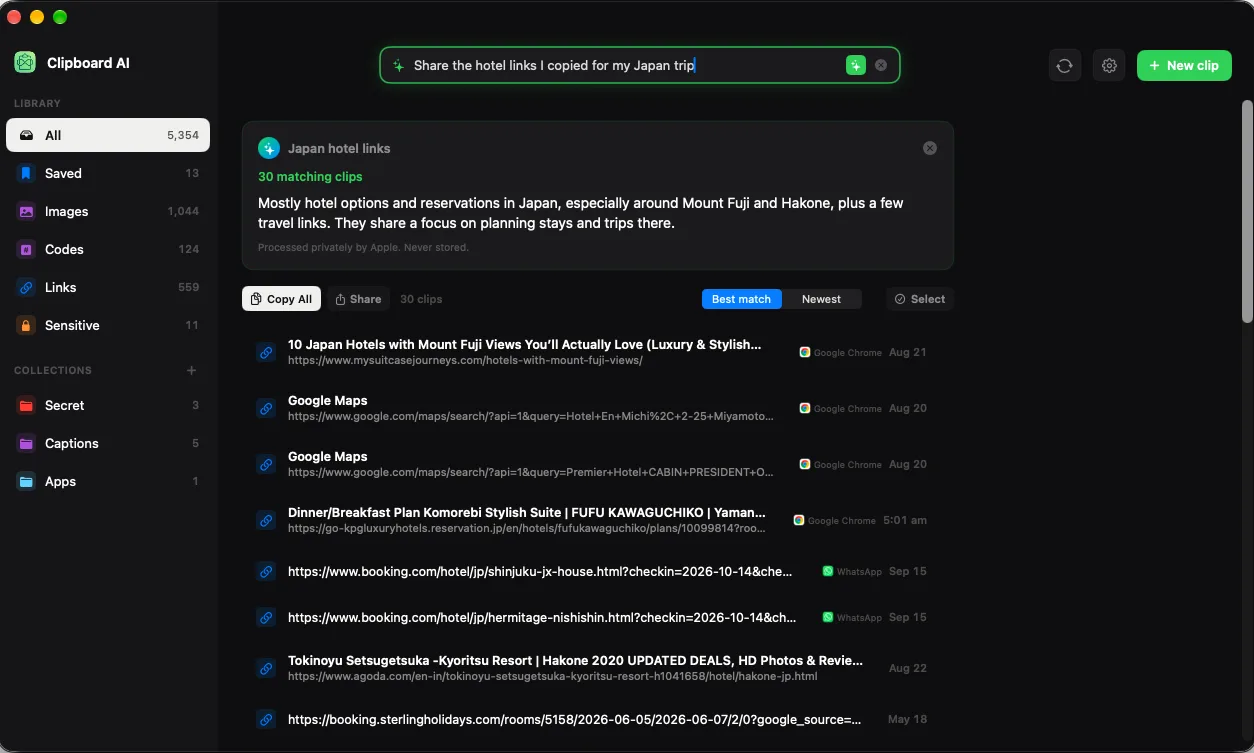
Open All Clips, click the sparkles in the search field at the top, type your question, and press Return. The answer and its clips take over the window. Press Escape, click the x in the search field, or click anything in the sidebar to get back to your clips.
What you get back
- A one-line answer and the number of matching clips. The answer only describes clips that were found; nothing is invented.
- The clips themselves, sorted by Best match or Newest. Tap or click one to open it, copy it, or paste it as usual. Long lists come in pages, with a Show more button at the bottom.
- Copy All puts every result on your clipboard as one block, one clip per line. Share sends the same list to any app.
- On Mac, Select turns the results into a batch you can save, add to a collection, copy as one, or delete. See Act on a whole search at once on Mac.
Ask searches your library, not the internet. A question about something you never copied comes back empty, which is the honest answer. Matches are ranked, so a broad question can include a few loose matches at the bottom of the list.
Questions that work well
- "The wifi password"
- "Hotels I copied for the trip"
- "Work email addresses"
- "Links from Safari last week"
- "The address I copied yesterday"
- "Tracking numbers from this month"
Mentioning the kind of thing (an address, a link, a code), the app it came from, or roughly when helps the search land. The words inside your screenshots count too, because the text in images is read and indexed.
A clip named "Guest WiFi" is found by that name before anything else. See Give your clips custom names.
Where it runs, and what leaves your device
The search itself always happens on your device: your library is never uploaded to be searched. Apple Intelligence is used for two things, working out what to search for and writing the sentence at the top, and a footnote under every answer says where that happened:
- "100% on this device, using Apple Intelligence." The on-device model did everything. This is always the case on iOS 26 and macOS 26.
- "Processed privately by Apple. Never stored." On iOS 27 and macOS 27, the question and a short list of the matches can be handed to Apple's Private Cloud Compute, which plans a better search in any language and reads more of the results before it writes. Apple processes it privately and keeps none of it.
- "Answered on this device. Your clips never left it." The cloud helped plan the search, but the answer was written on your device.
Whenever the cloud is unavailable, the on-device model takes over on its own.
iOS 26 or macOS 26 or later, on a device that supports Apple Intelligence (iPhone 15 Pro or newer, an iPad with Apple silicon or the A17 Pro chip, or a Mac with Apple silicon), with Apple Intelligence turned on in Settings. Ask is free; it is not part of Pro.
If Ask is not working
- No sparkles in the search field. The device does not support Apple Intelligence, or it is on an older version of iOS or macOS.
- "Turn on Apple Intelligence in Settings to ask your clips." Open the Settings app, go to Apple Intelligence & Siri, and turn it on.
- "Apple Intelligence is still getting ready on this device." The model is still downloading after you turned it on. Give it a little while.
- "Ask is taking a short breather." You asked a lot in quick succession. Wait a moment and try again.
- "That's a big question for on-device search." Shorten the question; the on-device model works best with a sentence or two.
- "Ask doesn't understand that language yet." The on-device model covers a limited set of languages. Try asking in English, or on iOS 27 let the private cloud handle it.