On this page
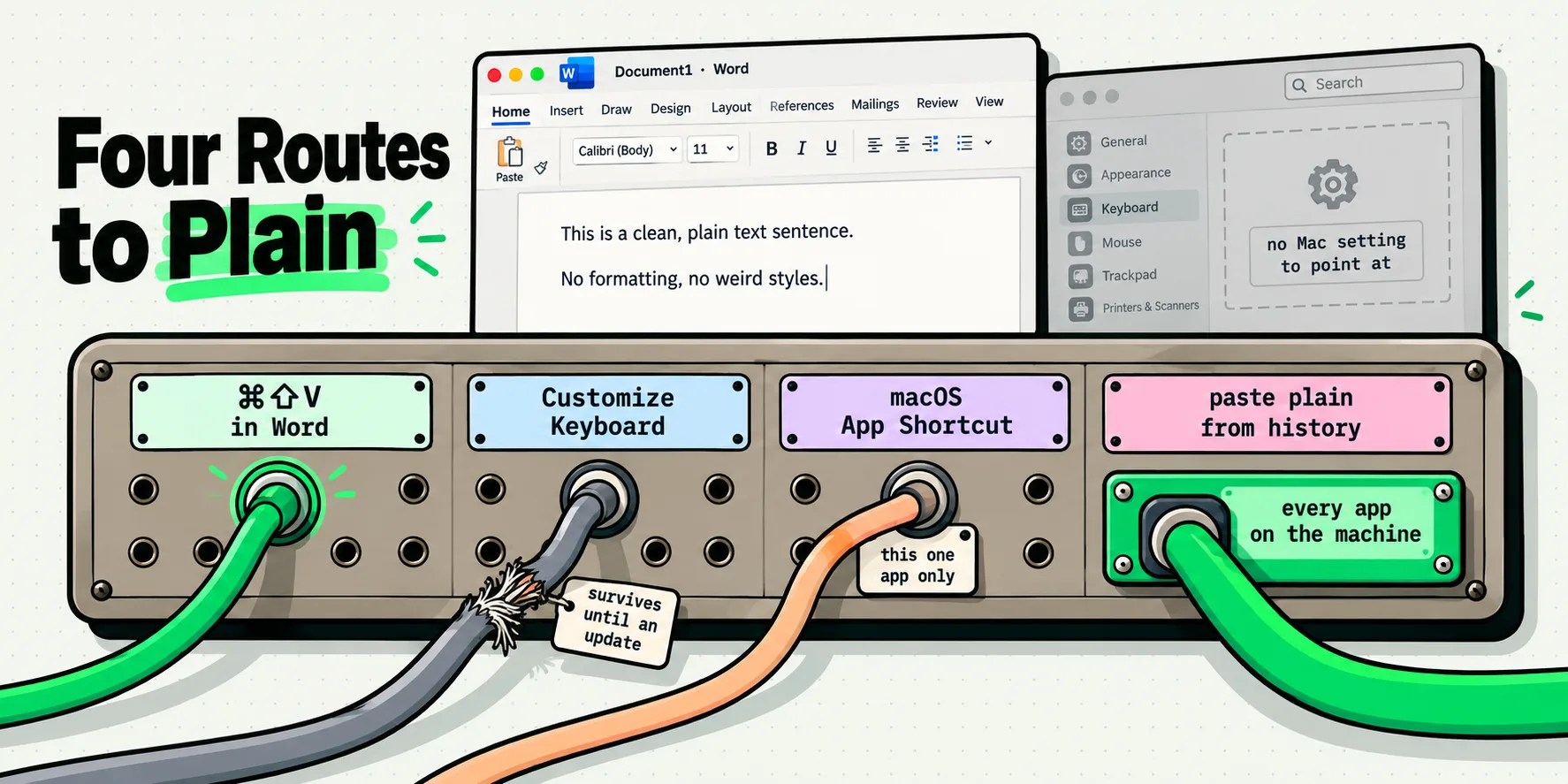
Excel for Mac has no single documented keystroke that means "paste this as plain text". Microsoft's Excel shortcuts page lists exactly two paste entries for Mac: Command-V to paste, and Command-Control-V, Control-Option-V or Command-Option-V to open Paste Special. The Command-Shift-V shortcut Microsoft shipped for Word and OneNote on Mac was announced for Excel on Windows in October 2022 as coming soon to Excel for Mac, and is still not documented for Mac.
Before any of the routes below, there is a distinction to get straight, because getting it wrong is why so many answers to this question do not help.
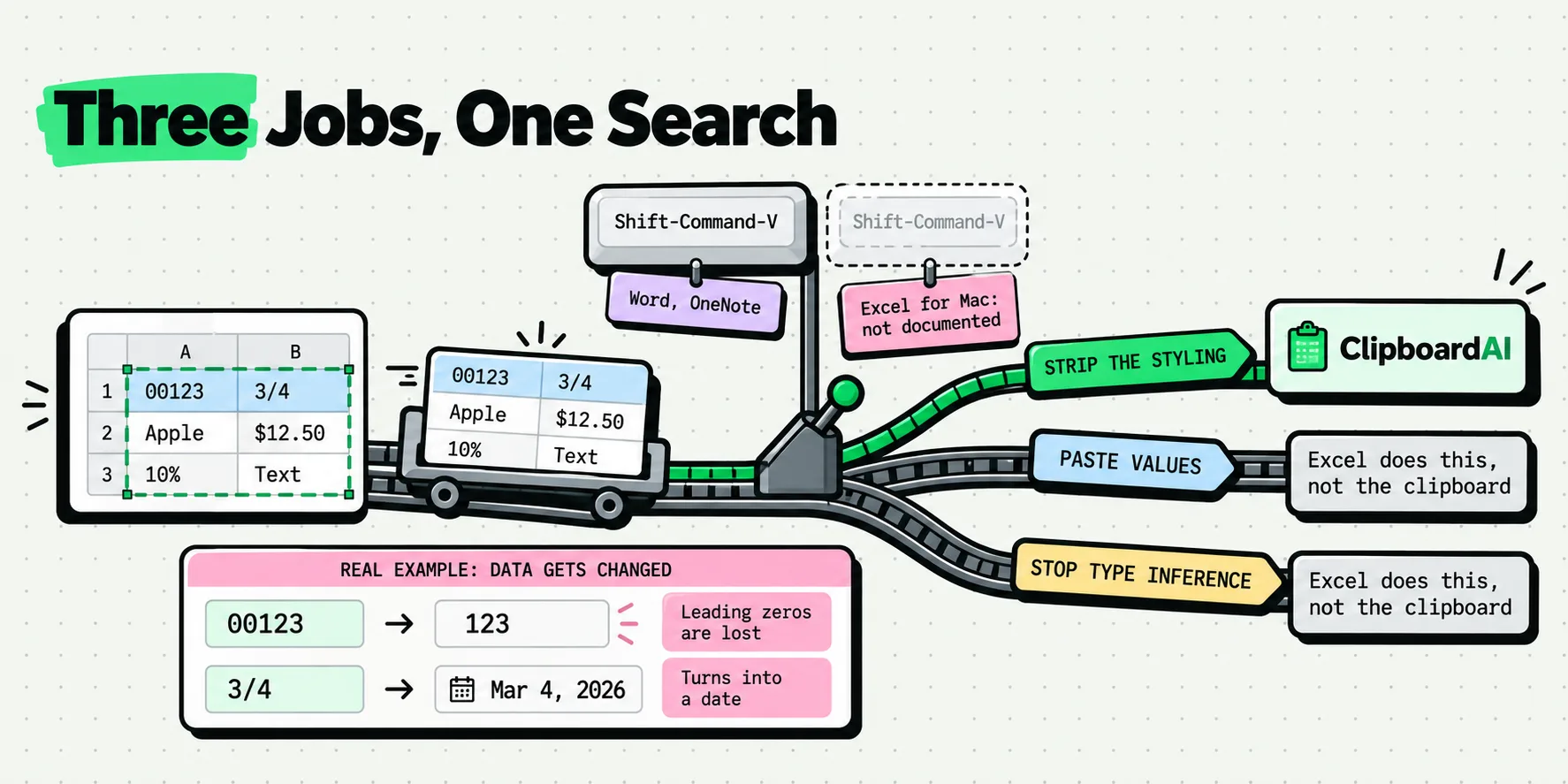
Three different jobs, one search box
People type "paste without formatting" into Excel for Mac meaning at least three unrelated things. They need different tools, and no tool does all three.
- Strip the styling. The source's font, size, color, cell fill, borders and row height came along and now your sheet looks like a web page. You want characters, in your sheet's own formatting.
- Convert formulas to their results. You copied a calculated column and want the numbers, not the references. This is Paste Values, and it is an Excel-internal operation that only Excel can perform. A clipboard tool cannot do it, because by the time the pasteboard holds anything, the formula is already gone.
- Stop Excel reinterpreting your content. The product code
00123became123. The reference3/4became a date. This is Excel's type inference, and plain text does not prevent it, because plain text is exactly what Excel parses.
Only the first of the three is a clipboard problem. Blurring them is how you end up following instructions that produce the wrong result and then doubting your own machine.
What Microsoft shipped, and where it went
The counter-evidence deserves a fair hearing, because Microsoft has genuinely improved this, just not on the Mac side of Excel.
On 12 October 2022, a Microsoft 365 Insider blog post by an Excel product manager announced the new shortcut. The post's own words: "Until now, it was not possible to paste as plain text using shortcut keys." The availability section, verbatim: "This feature is rolling out to Beta Channel users running Version 2210 (Build 15726.20000) or later in Excel for Windows, and will be coming soon to Excel for Mac. Stay tuned!"
That post was updated in August 2024 and still says the same thing. Checked on 29 July 2026, Microsoft's Excel keyboard shortcuts page documents no Command-Shift-V for Mac. Meanwhile the equivalent shortcut did ship on the Mac in Word and in OneNote, which is why half the advice you find is confidently wrong: it is correct, for a different Office app.
There is a second wrinkle in Microsoft's own description. The blog says Command-Shift-V will "either paste with Match Destination Formatting, or it will paste values", depending on what you copied. So even the shortcut Microsoft designed for this is two operations wearing one keystroke. If you have ever wondered why the answers to this question contradict each other, that sentence is a large part of it.
The community history matches. A Microsoft Q&A thread posted on 8 February 2023, titled paste into excel without formatting using only keyboard shortcut?, describes doing this many times a minute and finding that the suggestions online either do not work or refer to old versions. The most-endorsed answer is not a shortcut at all. It is a set of instructions for adding a Paste Values button to the Quick Access Toolbar.
The two habits that solve most of it
Use the macOS shortcut, not an Excel one. With the cell selected, press Option-Shift-Command-V. Apple documents this as Paste and Match Style, and in a spreadsheet cell there is no surrounding style to match, so what lands is the characters in the cell's own formatting. It is not an Excel feature, which is precisely why it does not depend on Microsoft shipping anything.
And format the cells first when the content is codes. Select the destination column, then Format, Cells, Text, before you paste. This is the only thing that stops 00123 becoming 123 and 3/4 becoming a date. It takes ten seconds and no plain-text paste substitutes for it.
Every paste route in Excel for Mac
Scored on what each one actually does, rather than on what it sounds like it does. Last checked: 29 July 2026.
| Route | Keyboard only | Drops fonts, fills, borders | Turns formulas into values | Stops Excel reinterpreting the text | Documented by Microsoft for Excel for Mac |
|---|---|---|---|---|---|
| Command-V | Yes | No | No | No | Yes |
| Option-Shift-Command-V | Yes | Yes | Not applicable | No | By Apple, not by Microsoft |
| Command-Shift-V | Yes | Shipped on Windows, and in Word and OneNote for Mac | Sometimes, per Microsoft's own description | No | No |
| Command-Control-V, Paste Special dialog | Opens a dialog | With Values or Text selected | With Values selected | No | Yes |
| Control-Option-V | Opens the same dialog | Same | Same | No | Yes |
| Command-Option-V | Opens the same dialog | Same | Same | No | Yes |
| Paste Special, Values | No, needs the dialog | Yes | Yes, this is the one | No | Yes |
| Paste Special, Text | No | Yes | Yes | No | Yes |
| The Paste Options button after a paste | No, it is a mouse target | With Keep Text Only | With Values | No | Yes |
| A Quick Access Toolbar button for Paste Values | One click, no dialog | Yes | Yes | No | Yes, as a customization |
| Format the destination cells as Text first | Yes | No | No | Yes, this is the one | Yes |
| Rewrite the clipboard as plain text before pasting | Yes | Yes, always | No | No | Not applicable |
Read the last three columns as a set. No single row is bold in more than one of them. Paste Values is the only formula answer, formatting the cells as Text is the only reinterpretation answer, and everything in the styling column is interchangeable. Anyone promising you one keystroke for all three is describing a product that does not exist.
What you pasted, and what Excel did with it
The other half of this problem is that Excel is not passive. It reads what arrives and makes decisions. These are the ones that cost people the most time.
| What you copied | What Excel does with it | Why | What actually fixes it |
|---|---|---|---|
| A table from a web page | Cell fills, borders, link colors and mismatched row heights arrive with the data | The clipboard carried an HTML representation and Excel honored it | Plain-text paste, or Paste Special then Text |
| A paragraph from Word | Lands in one cell wearing Word's font and size | The styling layer traveled with the characters | Plain-text paste |
| A column of text out of a PDF | Splits across many rows, one per visual line | Each line ended in a hard break in the PDF. See pasting multiple lines into one Excel cell | Remove the line breaks before pasting |
| A range from Google Sheets | Formatting arrives, formulas usually do not | What crosses is an HTML table plus text, not a live range | Paste Special, Text, then rebuild formulas |
| A cell containing a formula, from another sheet | The formula arrives, and its references may shift | Relative references are recalculated for the new position | Paste Special, Values |
3/4 as a product reference | Becomes a date | Excel's type inference runs on plain characters | Format the cells as Text before pasting |
00123 as a part code | Becomes 123 | Same inference, treating it as a number | Format the cells as Text before pasting |
| A sixteen-digit account number | The final digits become zeros | Excel stores numbers to fifteen significant digits | Format the cells as Text before pasting |
| A figure with a trailing space, copied from a report | Right-aligns as text, and SUM ignores it | The space makes the cell text rather than a number | Trim the whitespace on the clip, or use TRIM in the sheet |
Rows six, seven and eight are the ones worth pinning to the wall. They are not paste problems. The same thing happens if you type the value by hand. No plain-text paste, from Excel or from anywhere else, will save a leading zero, because plain text is the input Excel's parser was built to read.
Where ClipboardAI removes the styling problem for good
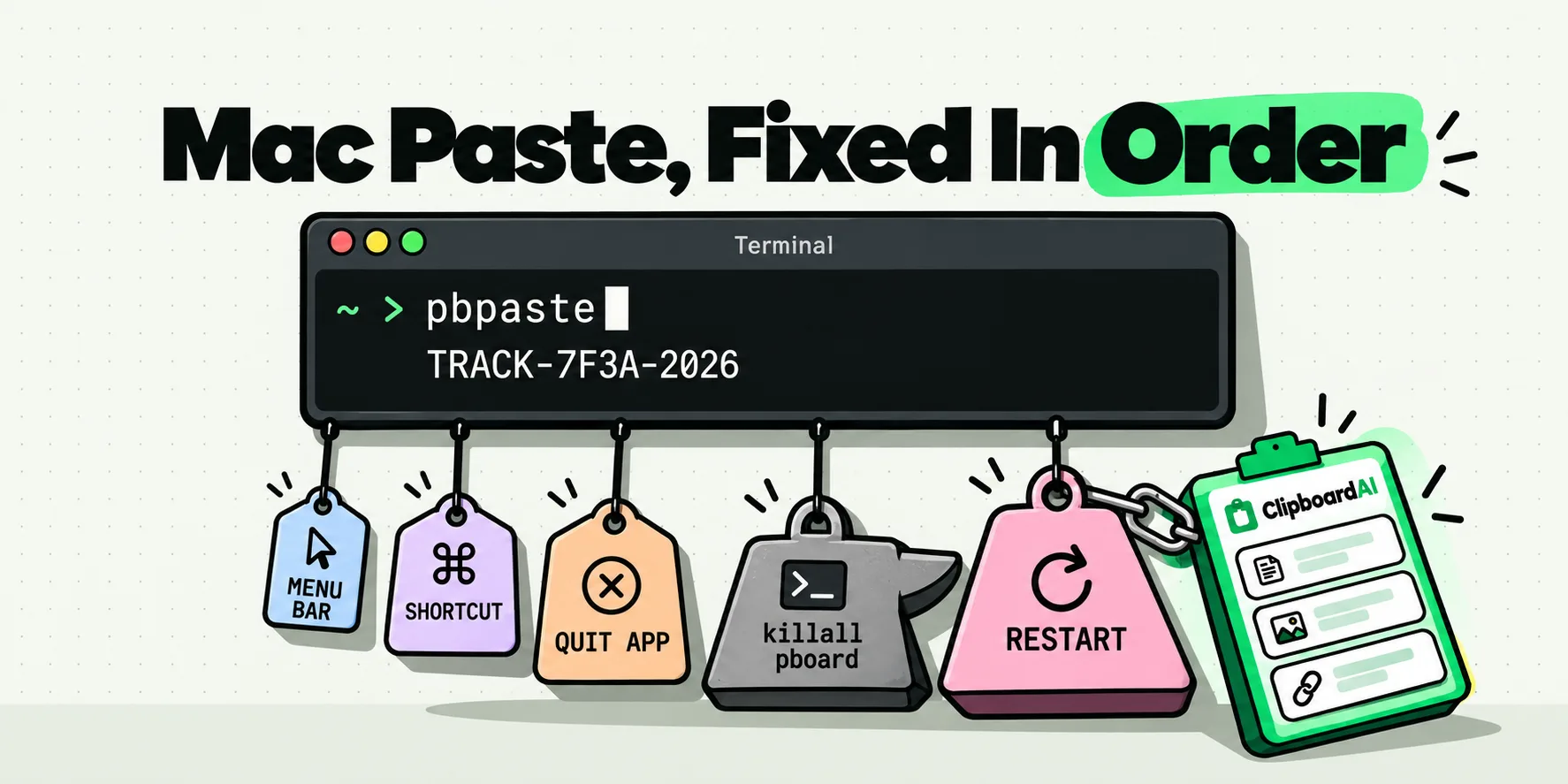
Turn on Always paste as plain text in Settings, General, Behavior, and every clip you paste through ClipboardAI reaches Excel as characters. The web table arrives without its fills and borders. The Word paragraph arrives in Calibri eleven because that is what your sheet uses, not because that is what the document used. Press Command-Shift-V, pick the clip, done. Hold Option while pasting when you do want the source formatting for one paste, which is the escape hatch neither Paste Special nor the Paste Options overlay gives you.
For text that came out of a PDF or a web page, do the cleanup on the clip before it reaches the grid. Transform Text gives you Remove Line Breaks, which turns a hard-wrapped block into one line so it lands in one cell instead of forty, and Trim Whitespace, which is the difference between a column that sums and a column that quietly does not. Both are free, on Mac and iPhone, and the PDF-specific version of the problem is covered in why PDF text pastes with a line break on every line.
The bigger win in spreadsheet work is the history itself. Everything you copy on the Mac is captured automatically, so building a summary sheet from six sources does not mean six trips back to the browser. Copy all six, then use Paste One by One to walk down the column, pressing Command-V and moving the cursor, with a counter telling you where you are. That is the closest thing on a Mac to the Office Clipboard task pane Windows users keep asking about.
The line we will not blur, one more time: we do not do Paste Values. Converting a formula to its result happens inside Excel, on data that never reaches the clipboard. If that is your problem, Paste Special is still the right tool, and a Quick Access Toolbar button makes it one click. We handle the styling, the line breaks and the stray whitespace, which is the other ninety percent of the pastes you make in a day.
The sheet ends up looking like your sheet, which is all anyone wanted.
Frequently Asked Questions
What is the paste without formatting shortcut in Excel for Mac?
Microsoft documents none. Its Excel keyboard shortcuts page lists Command-V to paste and Command-Control-V, Control-Option-V or Command-Option-V to open Paste Special, and nothing for plain text. The route that works is Apple's own Option-Shift-Command-V, which is a macOS shortcut rather than an Excel feature. Command-Shift-V shipped for Excel on Windows and for Word and OneNote on Mac, but is not documented for Excel for Mac.
Is paste plain text the same as Paste Values in Excel?
No, and confusing them wastes a lot of time. Paste plain text removes the source's fonts, colors, fills and borders, leaving the characters. Paste Values converts a formula into the number it produced, which is an operation inside Excel on data that never reaches the clipboard. If your problem is a formula that should become a fixed number, Paste Special with Values is the only tool for it.
Why does Excel still change 00123 to 123 after a plain text paste?
Because plain text is exactly what Excel's type inference reads. Stripping the styling does not change the characters, and Excel decides that a run of digits is a number, drops the leading zeros and right-aligns it. The same thing happens if you type it by hand. The only reliable fix is to select the destination cells and set their format to Text before pasting, which takes about ten seconds.
Did Microsoft ever ship Ctrl+Shift+V for Excel on Mac?
Not as of 29 July 2026. The Microsoft 365 Insider blog post announcing it, first published on 12 October 2022, scopes the rollout to Beta Channel users on Version 2210 build 15726.20000 or later in Excel for Windows, and says it will be coming soon to Excel for Mac. That post was updated in August 2024 and still says the same thing, and the Mac shortcuts documentation does not list it.
How do I paste a paragraph into one cell instead of many rows?
The rows come from line breaks in the source, not from formatting, so a plain-text paste will not merge them. Remove the line breaks from the text before you paste it, either with a clipboard transform or by pasting into the formula bar rather than the cell, which puts the whole block into the single active cell. Text copied out of PDFs is the usual culprit, since each visual line ends in a hard break.
What is the fastest repeatable way to paste values in Excel for Mac?
Add a button. Open the Quick Access Toolbar customiser, switch the list to All Commands, find Values under the paste commands, and add it. That turns Paste Values into a single click with no dialog. It is the answer the most-endorsed reply on Microsoft's own Q&A thread gives, and it is faster than any of the three Paste Special shortcuts once you are doing this several times a minute.