On this page
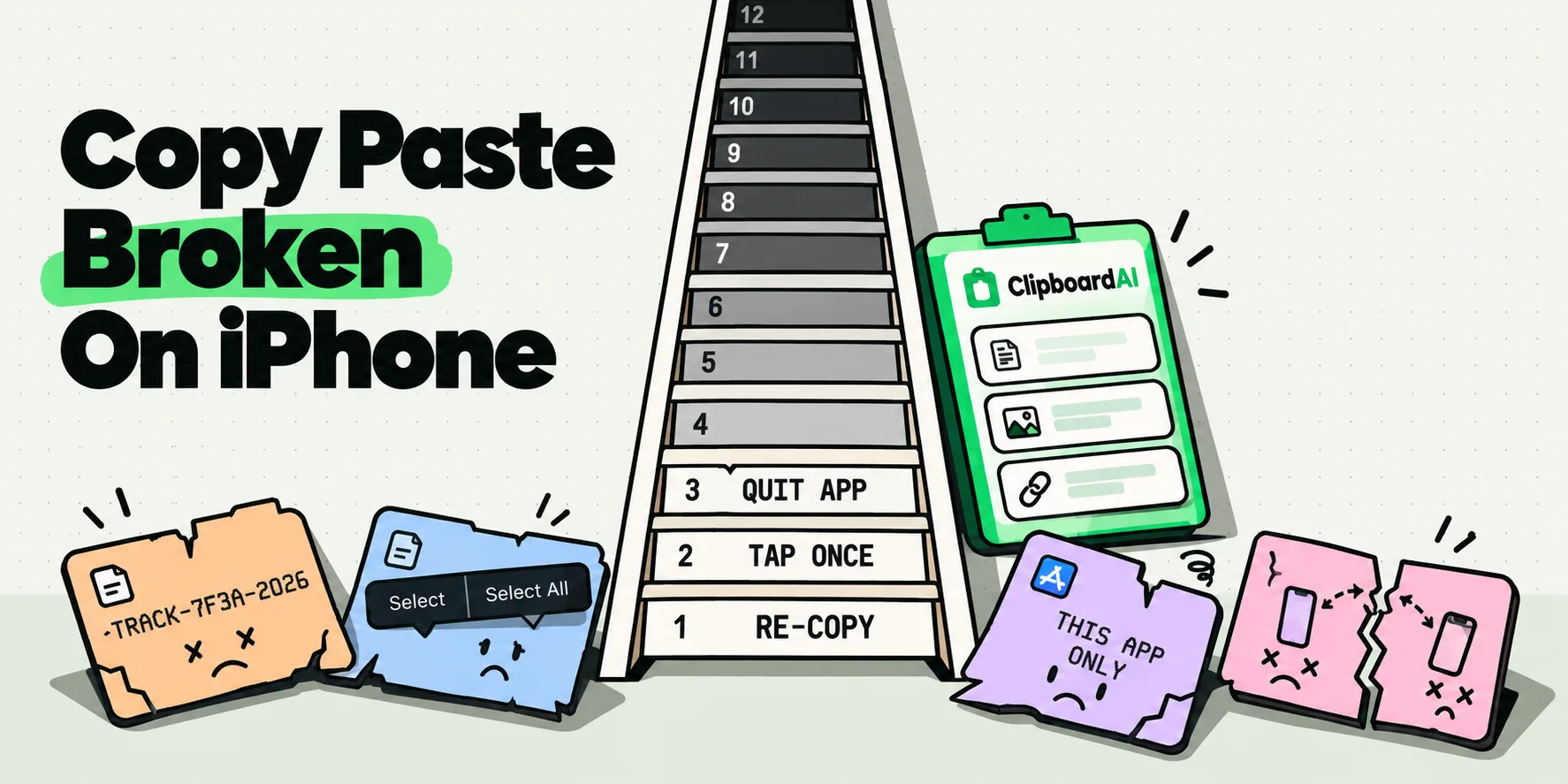
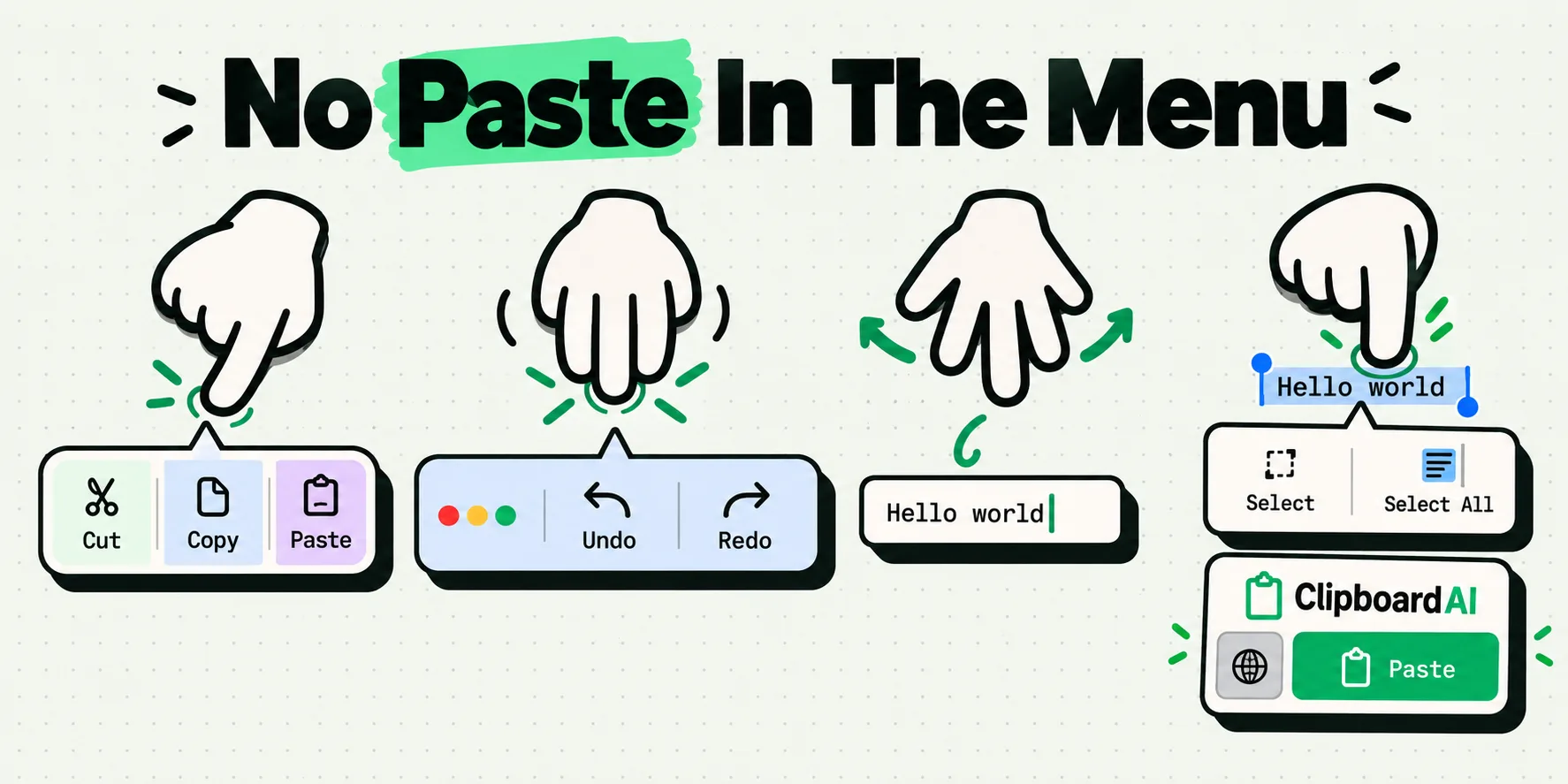
Paste is missing on iPhone either because the thing you are touching is not an editable field, or because the clipboard is empty and iOS leaves the command out rather than dimming it. Between them those cover most cases. The rest divide between an app that removed Paste from its own editing menu and an app that draws its own text engine and never shows the iOS menu at all. Which gesture you use decides what you see.
The gesture you use matters more than most people expect, so start there.
Do this first, in this order
Ninety seconds, no settings, no apps. Stop as soon as one works.
- Tap once in an empty field. Not a long press. A single tap in a blank text box is the most reliable way to get the menu with Paste in it.
- If the field already has text, tap once to place the cursor, then tap the cursor again. The second tap on an existing insertion point is what raises the menu. Long-pressing instead puts you into cursor-dragging mode, and the menu never comes.
- Long press and then lift cleanly. If you do long press, the menu appears when your finger leaves the glass, not while it is down. Sliding as you lift cancels it.
- Try a three-finger tap. That brings up the editing bar across the top with Undo, Cut, Copy, Paste and Redo, and it works in a lot of places where the black callout bar is fiddly.
- Try a three-finger spread. Place three fingers together on the screen and open them out. That gesture pastes directly, with no menu involved at all.
If step one or two fixed it, the answer was the gesture, not your phone. That is the single most common resolution to this question.
Grayed out, missing, or never appearing: they are not the same fault
Almost every page on this topic treats "no Paste option" as one problem. It is four, and the triage is quick.
No menu appears at all
You are probably not touching an editable text view. Some apps draw their own text engine and never present the iOS menu: certain remote desktop clients, terminal apps, and anything built on a game engine or a heavily customized web view. Nothing is misconfigured. That app is simply not using the system text stack.
A menu appears, but there is no Paste
Look at what the menu does offer. If it shows Copy, Look Up, Translate and Share, that is a read-only menu, and there is nowhere to paste into. If it shows Select, Select All and Scan Text but no Paste, the field is editable and the clipboard is empty. iOS generally omits the command rather than dimming it when there is nothing to insert.
Paste is there but dimmed
Rarer than the internet suggests. When it happens, the field has usually stopped being the active input, so switch to another app and back, or force quit and reopen.
Paste works everywhere except one app
Now you are looking at an app-level decision or a stored permission. Apps can remove Paste from their own editing menu, which finance apps do routinely in password boxes. Separately, iOS stores a per-app paste permission that you may have set without meaning to. Both are covered in the Allow Paste prompt explained.
Which gesture gives you which menu
This is the reference nobody publishes, and it settles most of the arguments in the forum threads on this subject. Context matters as much as the gesture.
| Gesture | Use it when | What you should get | Why it fails |
|---|---|---|---|
| Single tap | The field is empty | Cursor plus the edit menu, with Paste if the clipboard has something | Nothing on the clipboard, so Paste is omitted |
| Tap the cursor a second time | The field already contains text | The edit menu at the insertion point | You tapped a different spot, which just moves the cursor again |
| Long press, then lift | You need to position the cursor precisely first | Magnifier while held, menu on release | Sliding your finger as you lift dismisses it |
| Double tap | You want to replace one word | Word selected, menu includes Paste as a replace action | Read-only text, so the menu has no Paste to offer |
| Triple tap | You want to replace a whole paragraph | Paragraph selected with the same menu | Some apps map triple tap to their own behavior |
| Three-finger tap | The callout bar keeps escaping you | Editing bar at the top with Undo, Cut, Copy, Paste, Redo | The app opts out of the standard editing gestures |
| Three-finger spread | You want to paste with no menu at all | An immediate paste at the cursor | No cursor is placed yet, so there is no insertion point |
| Command V on a hardware keyboard | iPad or iPhone with a keyboard attached | An immediate paste | Focus is in a non-text control |
There is no Paste key on Apple's stock iPhone keyboard, and there never has been. If you were looking for a button on the keyboard itself, the three-finger spread is the closest equivalent, and a clipboard keyboard extension is the only way to add a real one.
Why the menu is inconsistent between apps
The editing menu is not a fixed system component that every app inherits unchanged. An app that uses the standard iOS text views gets the standard menu, which is why Notes, Mail and Safari behave predictably. An app that builds its own text handling gets whatever it built, and can add, remove or reorder commands as it likes.
Layered on top of that, iOS keeps one general clipboard shared across the whole system, holding exactly one item. If that slot is empty, there is nothing to paste anywhere. This catches people out constantly, because a copy that quietly failed looks identical to a menu that is broken. The one-slot design and its consequences are covered in why your iPhone only remembers one copy, and the general gesture repertoire in iPhone text selection tips.
The third layer is permission. Since iOS 16, an app reading something you copied elsewhere, without you asking it to, raises a system prompt. That is about an app reading the clipboard programmatically rather than about the menu you are tapping, but a paste permission you set to Deny at some point is still worth checking when one specific app misbehaves.
When the menu genuinely is not coming back
Some of these have no workaround, and it saves time to recognize them.
- Read-only text. A web page paragraph, a received message bubble, a PDF rendered as an image. You can copy from these, never paste into them.
- Password and secure fields. Apps frequently strip Paste here on purpose. Details and the routes that still work are in pasting into an iPhone password field.
- Apps with a custom text engine. Terminals, remote desktops, some drawing and code editors. Their own menu is the only one you will get.
- Managed work devices. An administrator can restrict content moving between managed and personal apps. Paste can be present and simply do nothing.
If the problem is broader than a missing menu, the full symptom triage is in copy and paste not working on iPhone.
Put a real paste key inside the keyboard
The quickest way past all of this is to stop needing the callout menu at all. Switch to the ClipboardAI keyboard and your recent copies sit right above the letters: tap the one you want and it lands in the field. No long press, no lift timing, no three-finger choreography, and not just the last thing you copied but the last several, filtered down to Saved, Images or a collection when the list gets long. That is how the ClipboardAI paste keyboard works, and setup is in pasting from the keyboard.
The copy side gets the same treatment. Set up Back Tap once and a double-tap on the back of the phone saves whatever you just copied, silently, with no app opening and nothing to switch to, so the thing you need is already waiting the next time the keyboard comes up.
Two contexts sit outside any keyboard extension, ours included: iOS swaps in the system keyboard for secure password fields, and an app with its own text engine or a managed-device restriction is answering to something above the keyboard layer. For the rest of the day, which is nearly all of it, the paste key is simply there, and a menu that will not appear stops being a problem you have.
Frequently Asked Questions
Why does long-pressing not show the Paste option?
Because a long press is the cursor-positioning gesture, not the menu gesture. While your finger is down you get the magnifier, and the menu only appears when you lift cleanly. If you slide as you lift, it is canceled. In an empty field a single tap is more reliable, and in a field that already has text the trick is to tap once to place the cursor and then tap the cursor a second time.
How do I paste without holding down on the screen?
Use the three-finger gestures. A three-finger tap brings up an editing bar across the top of the screen with Undo, Cut, Copy, Paste and Redo. A three-finger spread, placing three fingers together and opening them out, pastes immediately with no menu at all. On an iPad or an iPhone with a hardware keyboard attached, Command V does the same. Place the cursor first, or there is nowhere for the text to land.
Why does Paste appear in some apps but not others?
The editing menu is not identical everywhere. Apps using the standard iOS text views get the standard menu, while apps that build their own text handling can add, remove or reorder commands. Finance apps commonly remove Paste from password fields on purpose. Separately, iOS stores a per-app paste permission that you may have set to Deny at some point. Check the app's row in Settings before assuming the app is at fault.
Where is the Paste button on the iPhone keyboard?
There is not one. Apple's stock keyboard has never included a Paste key, which is why this question recurs so often in support forums. Pasting on iPhone happens through the editing menu you raise by tapping, through the three-finger gestures, or through a hardware keyboard shortcut. A third-party clipboard keyboard extension is the only way to get a real paste button living inside the keyboard itself.
Paste is missing but Scan Text is showing. What does that mean?
It means the field is editable, so you are in the right kind of box, but the clipboard has nothing in it. Scan Text is iOS offering to read text through the camera and it shows up in empty fields routinely, so its presence tells you nothing. iOS generally omits the Paste command rather than dimming it when there is nothing to insert. Go back and copy again.