
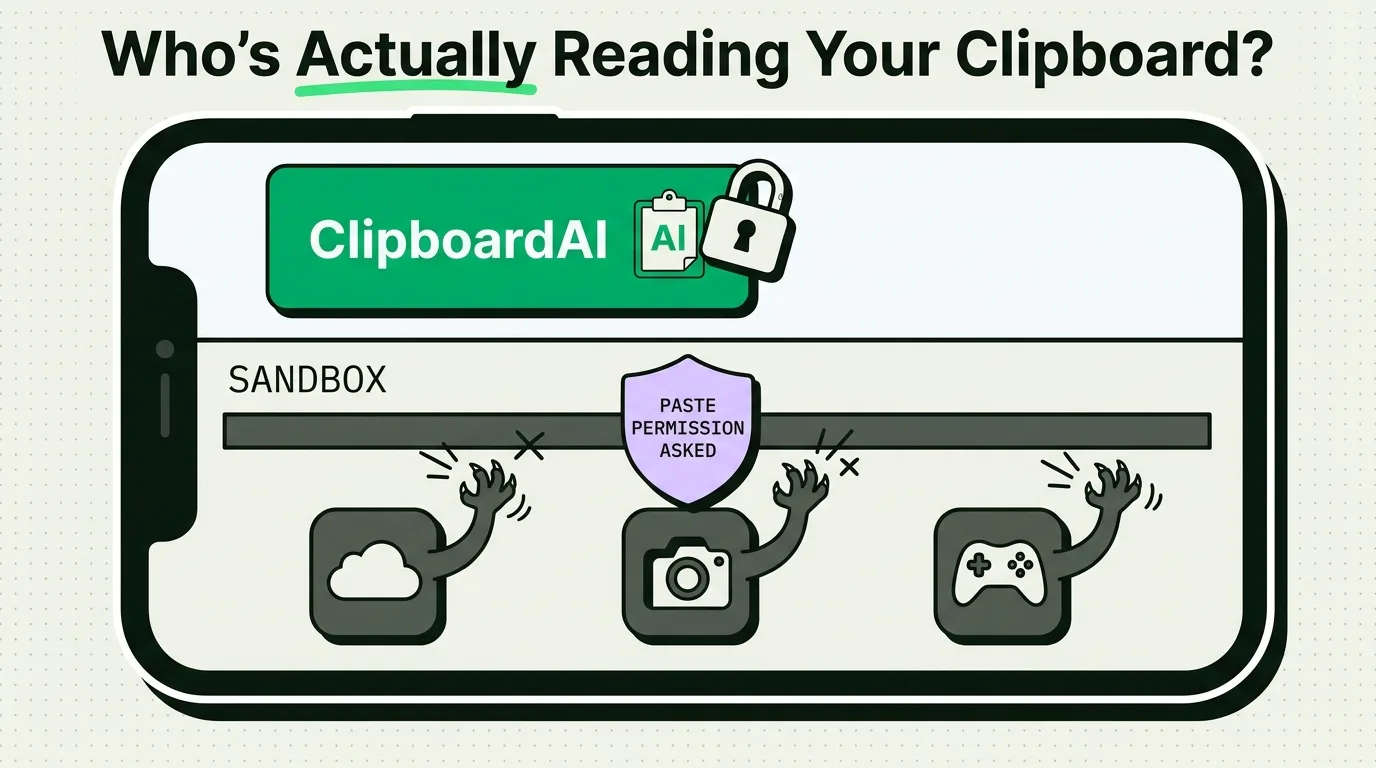
In March 2020, security researchers Tommy Mysk and Talal Haj Bakry published a finding that made headlines everywhere: TikTok was reading the iPhone clipboard every one to three seconds during normal use, whether or not you'd pasted anything. Over 50 other popular apps, including LinkedIn and Reddit, turned out to be doing the same thing. Apple's response reshaped how iOS handles clipboard access, and the paste notification banner you sometimes see today is a direct result of that research. Here's what actually happened, which apps were named, and how to check your own device today.
What the 2020 clipboard-reading research actually found
Mysk and Haj Bakry discovered that a number of iOS apps were calling UIPasteboard.general - the system API that reads clipboard contents - far more often than any normal feature would require, and with no way for the user to know it was happening. At the time, iOS gave no indication when an app read the clipboard. An app could check on launch, on every scroll, on every tap, silently.
The practical risk: if you copied a password from your email, then opened an app that read the clipboard on launch, that app had your password. If you copied a private message, an app reading the clipboard had that message too. All without your knowledge or consent.
Apple's response was fast. iOS 14 (2020) added the paste notification banner. iOS 16 (2022) went further and added a permission prompt apps must clear before reading clipboard content that didn't originate from a user-initiated paste.
Apps named in the original research and follow-up reporting
| App | Category | What was reported |
|---|---|---|
| TikTok | Social media | Read clipboard every 1-3 seconds during active use |
| Social media | Same behavior; issued a public apology and patch | |
| Social media | Confirmed the behavior, issued a patch | |
| The New York Times, Fox News, NPR | News apps | Read clipboard, cited "Open in app" URL detection |
| Call of Duty: Mobile, PUBG Mobile | Games | Read clipboard on launch, cited invite-code detection |
| AccuWeather, Overstock, Hotels.com | Utility/shopping | Attributed to embedded analytics SDKs |
Most of these apps patched the behavior after the iOS 14 transparency update made it publicly visible. The point of listing them isn't that they're still doing this today - many have changed - it's that the incident showed privacy policies alone didn't stop the behavior; a technical, OS-level fix did.
Why apps read the clipboard at all
Not every clipboard read is malicious. There's a real range:
Legitimate but overbroad: URL detection for "open in app" prompts, or checking for a referral/invite code. The intent is reasonable; the implementation often grabs everything on the clipboard instead of checking narrowly for a URL or code pattern.
Questionable: Some analytics SDKs used clipboard contents as one signal in a device fingerprint, a way to correlate activity across apps that has nothing to do with the app's stated function.
Malicious: Credential theft, or clipboard-hijacking malware that swaps a copied cryptocurrency wallet address for an attacker's address the moment you paste. This is far less common on iOS than on Windows or Android, thanks to app sandboxing, but it's not impossible, particularly via malicious profiles or sideloaded apps outside the App Store.
How to check what's reading your clipboard right now
You don't need to take anyone's word for this. Here's a five-minute test you can run yourself:
- Copy a unique string you'll recognize, like
CLIPTEST-4471. - Open an app you're curious about.
- Watch the top of the screen for the paste banner: "[App Name] pasted from [Source]."
- If it appears without you having tapped anywhere near a paste action, that app just read your clipboard on its own.
- Repeat for other apps you want to check. Note which ones trigger the banner immediately on launch versus never at all.
For a permanent view of your history rather than a one-off check, a clipboard manager gives you a running record of what's actually been on your clipboard and when. That's a visibility tool, not a detection tool for other apps' behavior, but it does mean you have an accurate record to check against if you ever suspect something copied that you didn't expect.
Decision guide: what to do about it
| Situation | Action |
|---|---|
| Paste banner appears when you open an app without pasting | Note it. If it's not an app category that plausibly needs clipboard access (a game, a weather app), consider denying paste permission or removing the app |
| App requests "Paste from Other Apps" permission | Default to Deny; only allow when you're intentionally pasting into that specific app |
| You just copied something sensitive (password, 2FA code) | Overwrite it immediately by copying something harmless before opening any other app |
| You use Universal Clipboard between Mac and iPhone | Treat it as one shared exposure surface - a compromised app on either device can read what synced over |
| You want a searchable record of what's been on your clipboard | Use a clipboard history app; it won't stop other apps from reading, but it lets you audit your own history |
Six things to do today
- Update iOS. Every version since 14 has tightened clipboard protections; anything older than 16 is missing the permission-prompt system entirely.
- Deny by default. When the "Paste from Other Apps" dialog appears, think before allowing. A weather app almost never needs to read what you copied from your banking app.
- Clear sensitive clips before switching apps. Copy something harmless to overwrite a password or code before opening social media or other apps.
- Use AutoFill instead of copy-paste for passwords. AutoFill (Settings > Passwords > AutoFill Passwords) injects credentials directly into fields without ever touching the clipboard.
- Turn off Handoff when you don't need cross-device paste. Universal Clipboard means a compromised app on your Mac could potentially reach something you copied on your iPhone, and vice versa.
- Keep a visible history. Knowing exactly what's been on your clipboard and when makes it easier to notice if something unexpected shows up.
Honest caveats
iOS's protections here are real but not absolute. The paste banner and permission prompt cover clipboard reads initiated after you've granted or denied access, but the moment you open an untrusted app for the first time, it may check the clipboard before you've had a chance to respond to any prompt. And none of this protects data you paste directly into an app yourself. Clipboard hygiene (clearing sensitive data promptly, using AutoFill instead of copy-paste for credentials) still matters even with a fully updated iOS version.
Frequently asked questions
Which apps were caught reading the clipboard?
TikTok, LinkedIn, Reddit, and more than 50 other apps were documented reading iPhone clipboard contents in 2020 by security researchers Tommy Mysk and Talal Haj Bakry. Apple responded with clipboard access notifications in iOS 14 and a permission system in iOS 16.
Does iOS tell me when an app reads my clipboard?
Since iOS 14, a banner appears at the top of the screen naming the app and the source it pasted from. Since iOS 16, apps must clear a permission prompt before reading clipboard content that wasn't part of a direct user paste.
Can apps read my clipboard while running in the background?
No, not on current iOS versions. An app can only access the clipboard while it's the active foreground app, and even then, unauthorized reads are gated by the permission system described above.
How do I check which apps have read my clipboard historically?
iOS doesn't keep a log of past clipboard access; the banner is a real-time notification only. The closest thing to an audit trail is your own clipboard history if you use a clipboard manager, which shows you what was copied and when, though not which apps read it.
Is Universal Clipboard a risk here?
Yes, in the sense that it extends your exposure surface. If you copy something on your Mac and it syncs to your iPhone via Handoff, any app you open on your iPhone afterward has the same opportunity to read it that it would with anything copied locally.