
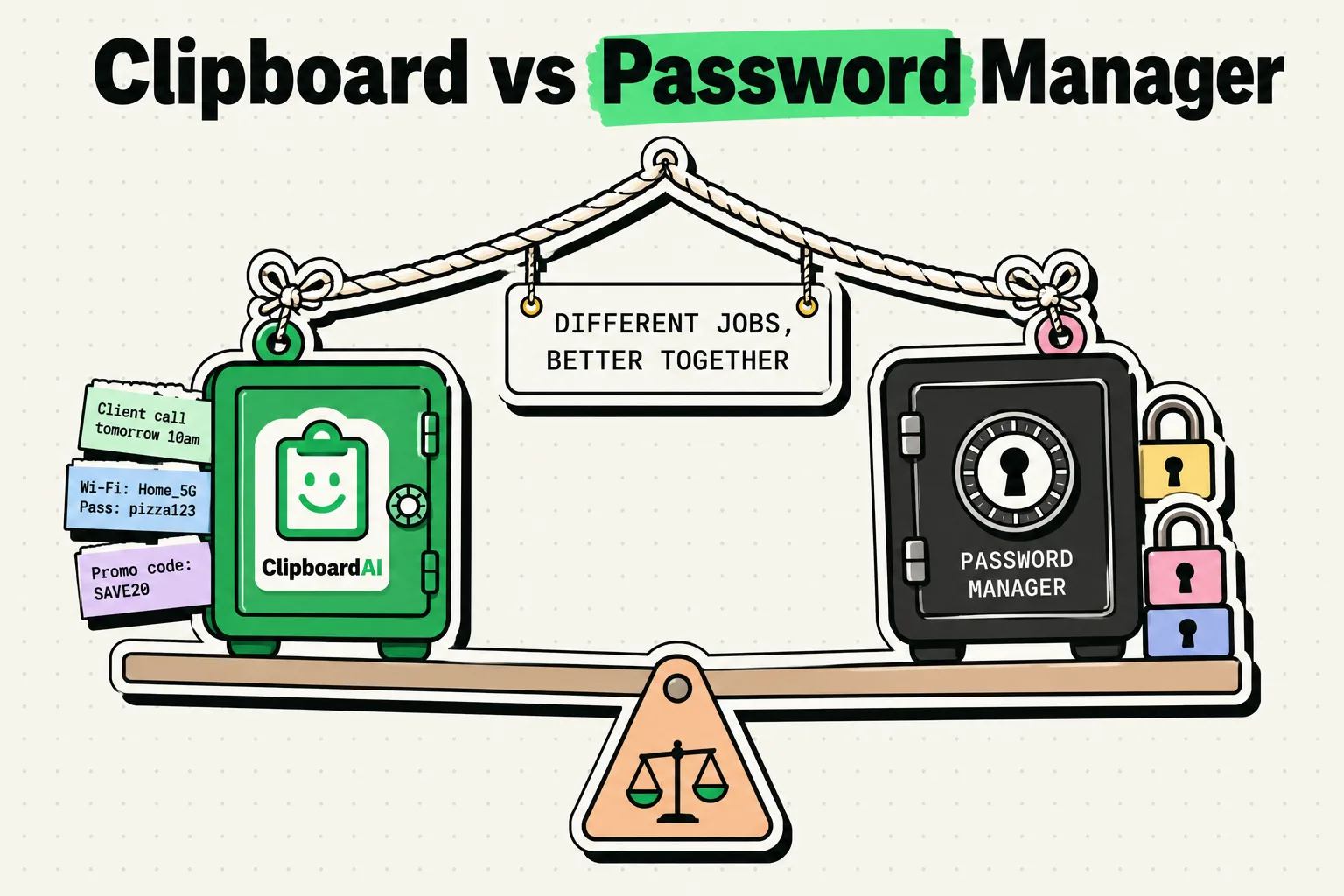
A password manager and a clipboard manager sound like they do the same thing: save something so you can use it later. They do not. A password manager is a security tool that encrypts credentials and auto-fills them into login forms so a password never has to be typed or copied. A clipboard manager is a productivity tool that saves everything else you copy - links, addresses, phone numbers, verification codes, text snippets - so a single new copy does not erase the one before it. The honest answer to "which one do I need" is both, because they solve different problems and barely overlap.
What a Password Manager Actually Does
A password manager's job is to eliminate weak, reused passwords. Apps like Apple's built-in Passwords app, 1Password, and Bitwarden generate a unique, strong password per account, store it in an encrypted vault, and auto-fill it using Face ID or Touch ID when you land on a login page. Ideally, you never see or copy the password at all - auto-fill inserts it directly into the field.
Core features: encrypted credential storage, password generation, auto-fill, breach monitoring, and secure sharing with family or team members.
What it does not do: save a phone number someone texted you, remember a link you copied from Safari an hour ago, or keep a history of anything beyond login credentials.
What a Clipboard Manager Actually Does
A clipboard manager's job is to fix the fact that iOS and macOS clipboards hold exactly one item. The moment you copy something new, the old item is gone with no way to get it back, unless something is saving history in the background. ClipboardAI does this: every copy is saved, and simple pattern detection sorts them into categories like links, phone numbers, emails, and codes, so you can find what you need without scrolling through everything.
Core features: persistent clipboard history, quick access via a keyboard extension or menu-bar panel, full-text search, automatic categorization, and optional cross-device sync.
What it does not do: encrypt credentials with zero-knowledge security, generate passwords, or auto-fill login forms.
Side-by-Side
| Password Manager | Clipboard Manager | |
|---|---|---|
| Primary job | Secure credential storage and auto-fill | Persistent history of everything you copy |
| What it stores | Logins, passwords, secure notes | Links, phone numbers, addresses, codes, text |
| Encryption model | End-to-end encrypted vault | On-device by default; optional iCloud sync runs through your own iCloud, protected by Apple |
| Auto-fill | Yes, into login forms | No - you tap or paste manually |
| History depth | N/A (not its purpose) | Full searchable history, not just the last item |
| Typical apps | Apple Passwords, 1Password, Bitwarden | ClipboardAI |
| Overlaps with the other | Only if you manually copy a password instead of using auto-fill | Only if a copied password lands in clipboard history |
The One Place They Overlap
If your password manager has a "copy password" button and you tap it instead of using auto-fill, that password sits on the system clipboard like anything else you copy - and a clipboard manager will save it to history along with everything else. Most password managers auto-clear the clipboard after 30 to 90 seconds specifically to limit this exposure, but if a clipboard manager already logged it before the clear happens, it can persist in that app's history until you delete it.
This is not a reason to avoid clipboard managers. It is a reason to prefer auto-fill over copy-paste for credentials whenever the option exists, and to periodically clear sensitive items from clipboard history if you do copy a password manually.
A Realistic Day
- 8:00 AM - Log into work email. Password manager auto-fills the credentials. Clipboard is not involved.
- 8:15 AM - A coworker sends a Zoom link in Slack. You copy it to join later. Clipboard manager saves it; password manager is not involved.
- 9:30 AM - A 2FA code arrives by SMS. You copy it. Clipboard manager saves it under a codes category.
- 11:00 AM - You copy a client's phone number, then their address a minute later. Without clipboard history, the phone number would be gone. With it, both are saved and separated by type.
- 2:00 PM - Signing up for a new tool, your password manager generates and auto-fills a strong password. No clipboard involvement.
The pattern: the password manager handles authentication, the clipboard manager handles everything else, and the two rarely need to interact.
Honest Caveats
- Never rely on a clipboard manager to protect a password. If you must copy one manually, delete the resulting clip from your clipboard history right after pasting it.
- Clipboard managers do not detect or block password-manager copies automatically on every platform. On iOS, there is no system-level signal that reliably tells a clipboard app "this specific copy came from a password vault," so a manually copied password is treated like any other text. Mac users get more protection here: ClipboardAI on Mac recognizes the nspasteboard.org "concealed" marker that apps like 1Password and KeePassXC already set, and skips saving that content, plus you can manually exclude specific apps by bundle ID in Mac Settings. Neither mechanism exists on iPhone or iPad today.
- A clipboard manager is not a credential vault. ClipboardAI's optional iCloud sync runs through your own private iCloud account using Apple's CloudKit, encrypted in transit and at rest, the same protection tier as Photos or Notes, and your clips never touch a ClipboardAI server. That said, a clipboard manager keeps a searchable history of everything you copy, which is a different job from a password manager's encrypted vault. Keep using your password manager for credentials.
Frequently Asked Questions
Can a clipboard manager replace a password manager?
No. A password manager encrypts credentials and generates strong, unique passwords with auto-fill. A clipboard manager saves your copy history for quick retrieval. They solve different problems and are meant to complement, not replace, each other.
Is it safe to copy a password to my clipboard?
It is safer to use auto-fill so the password never touches the clipboard at all. If you do copy one manually, most password managers clear the system clipboard after 30-90 seconds, but a clipboard manager may have already saved it to its own history in that window - so delete that clip afterward if it happened.
Do I need both a clipboard manager and a password manager?
Yes, if you regularly copy anything besides passwords - links, addresses, codes, text. A password manager alone has no mechanism for saving or organizing that content.
Does ClipboardAI automatically ignore passwords I copy on iPhone?
Not reliably. iOS does not give clipboard apps a system-level way to identify that a specific copy came from a password vault. On Mac, ClipboardAI does recognize the "concealed" pasteboard marker that password managers like 1Password already set, and you can also exclude specific apps manually in Mac Settings. On iPhone and iPad, the safest habit is auto-fill first, and deleting any password that does end up in your clipboard history.