
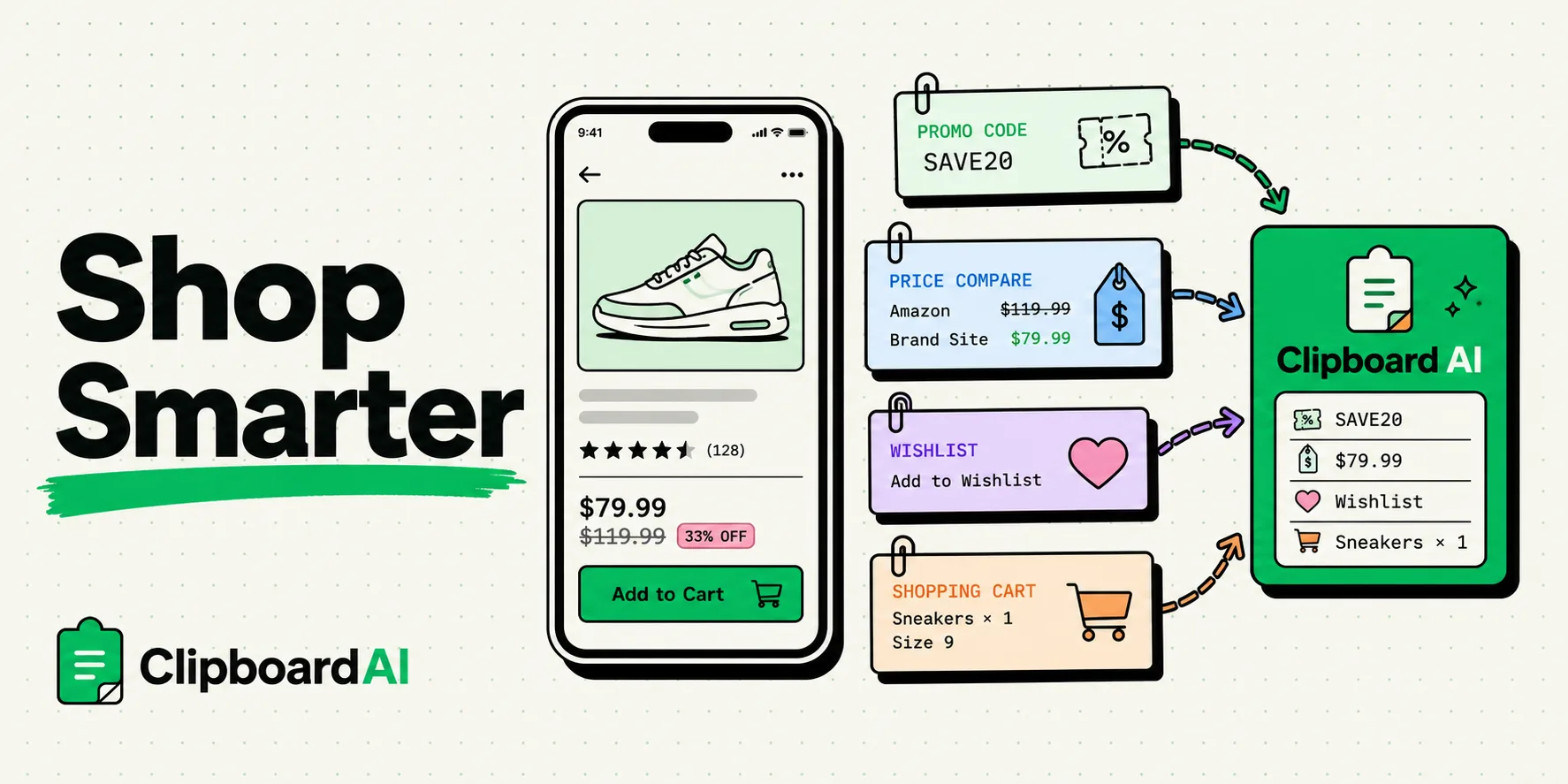
To secure the best deals when shopping online, using a clipboard manager like ClipboardAI on your iPhone or iPad is the most effective way to store promo codes, track package numbers, compare product links, and organize wishlists. Because standard mobile devices overwrite your clipboard with every new copy, a persistent clipboard utility prevents you from losing coupon codes and product coordinates while toggling between shopping sites and search engines.
Here is a practical guide to optimizing your mobile shopping experience, stacking deals, and managing orders without the mess of multiple open browser tabs.
The Chaos of Deal Stacking and Comparisons
Online shopping in 2026 is an exercise in data tracking. To get the lowest price, you often have to copy a promo code from an email, cross-reference a product URL on a competitor's site, search for cash-back offers, and check shipping requirements.
Consider the standard checkout friction:
- You find a pair of running shoes on Store A and copy the item link to send to a friend for opinions.
- You search a coupon site and copy a 20% off promo code:
RUNNER20. - You go back to the shoe store to paste the code, but you realize you copied another product link in the meantime. The promo code has been overwritten in your phone's memory.
- You have to leave the checkout screen, go back to the coupon site, re-search the coupon, and copy the code again - sometimes losing your shopping cart session in the process.
A clipboard manager solves this issue by acting as an active scratchpad, preserving every promo code, link, and price point you copy so you can construct your perfect order with ease.
Required Value Artifact: The Smart Shopper's Clipboard Kit
Copy these structured templates to your clipboard history so you can track deals, build side-by-side product comparisons, and log order confirmations.
1. Side-by-Side Product Comparison Template
Keep this layout pinned to draft product details before making a big purchase:
Product Name: [Item Title]
Store A: [Merchant Name] | Price: $[Amount] | Link: [URL]
Store B: [Merchant Name] | Price: $[Amount] | Link: [URL]
Promo Code Found: [Code] (Discount: [Amount/Percent])
Shipping Cost: $[Amount] | Estimated Delivery: [Date]
Final Cost Comparison: [Merchant Name] wins by $[Savings Amount]
2. The Promo Code Stacking Board
Pin multiple codes to your clipboard manager so you can try them back-to-back at checkout:
// Promo Code Queue
Code 1: [Primary Discount Code, e.g., SAVE30]
Code 2: [Free Shipping Code, e.g., SHIPFREE]
Code 3: [New Customer Code, e.g., WELCOME10]
Referral Link: [Referral/Cashback URL]
3. Package Delivery Reference Block
When tracking multiple orders, consolidate their statuses into one clean card:
Item: [Purchased Product]
Merchant: [Store Name] | Order Date: [Date]
Carrier: [USPS/FedEx/UPS] | Tracking Number: [Tracking Code]
Tracking Link: [URL]
Delivery Status: [Shipped/Out for Delivery/Delivered]
Comparison: Clipboard-Assisted Shopping vs. Traditional Tabbing
Here is how shopping workflows change when using a clipboard history utility:
| Shopping Goal | Traditional Browser Tabbing | Clipboard Manager Strategy |
|---|---|---|
| Comparing Prices | Open 6 tabs, toggle repeatedly to read prices, write them on paper. | Copy the price from each site. View the chronological list in your history card. |
| Applying Promo Codes | Copy code, paste code, realize it's expired, toggle back to search for another. | Copy 5 codes in a row from a forum. Paste them one-by-one from your clipboard tray. |
| Sharing Lists with Friends | Send 6 separate links in 6 messages, cluttering the chat window. | Copy all 6 links, merge them into a single formatted list, send once. |
| Tracking Deliveries | Open retail apps, navigate to order history, log in to check tracking status. | Copy the tracking codes once. Pull them from history to paste into a global tracking app. |
Stacking Discounts and Saving Time
By using a clipboard manager, we can refine the three core phases of the online shopping loop:
1. Rapid Coupon Code Testing
E-commerce checkout portals often have multiple code input forms.
- Copy all available coupon codes sequentially from deal blogs or newsletters.
- Switch to the checkout window.
- Bring up your clipboard manager's keyboard layout and tap through the codes in order to see which one delivers the highest discount.
- You do not have to leave the page or interrupt the checkout flow.
2. Building Clean Wishlists
Instead of using complex browser bookmark systems that clutter your browser:
- Copy the links of products you want to buy.
- Move them into a clipboard folder labeled
Wishlist. - You can export this folder as a single clean text block to share with family for birthdays or holidays.
3. Safeguarding Order Confirmations
When you check out as a guest, websites often display a confirmation page containing your order number but do not send a confirmation email immediately.
- Copy the order number directly from the page.
- It is preserved in your clipboard manager database, ensuring you have a record of the transaction even if the browser window closes.
Honest Caveats: Security and Autocomplete Limits
Online shopping involves handling financial data. Keep these caveats in mind:
- Credit Card Safety: Do not copy credit card numbers or CVV security codes to your clipboard. If you must copy them, open your clipboard database immediately after pasting and delete the clips. Many password managers offer a secure auto-fill alternative that bypasses the clipboard entirely.
- Cookie-Tracking Redirects: Affiliate and cash-back links often drop cookies in your browser. Copying and pasting clean links might bypass cash-back activations. Ensure you activate your cash-back portal before pasting the final product link.
- Auto-Fill Conflicts: iOS occasionally locks down inputs in billing address fields. If the native system blocks clipboard keyboard inputs, toggle to plain text paste or enter the address fields manually.
Setting Up Your Smart Shopping Workspace
Prepare your phone for the next big sale event:
- Download ClipboardAI on your mobile device.
- Enable the Keyboard Extension: Go to settings and add ClipboardAI, allowing full access to enable mobile pasting.
- Build Pinned Categories: Label them
Active Shopping Codes,Wishlist Links, andOrder Numbers. - Learn the Sweeper Habit: Once your packages arrive, clear out your temporary tracking numbers and coupon codes to keep your history workspace tidy.