
If a little pop-up keeps asking "Allow Paste?" every time Clipboard AI saves what you copied, you can switch it off for good. It takes two taps in Settings.
Open Settings, go to Clipboard AI, tap Paste from Other Apps, and choose Allow. That is it.
Why you see the "Allow Paste" prompt
To keep your clipboard private, iOS asks for permission the first time an app reads something you copied in a different app. Clipboard AI reads your clipboard so it can save your copies for you, so iOS shows that prompt. By default the setting is on Ask, which means the prompt can appear again and again.
Switching it to Allow tells iOS that you trust Clipboard AI to read your clipboard, so your copies are saved instantly and the prompt never comes back.
Turn it off in two taps
Open the Settings app, scroll down to Clipboard AI, and follow the two highlighted controls below.
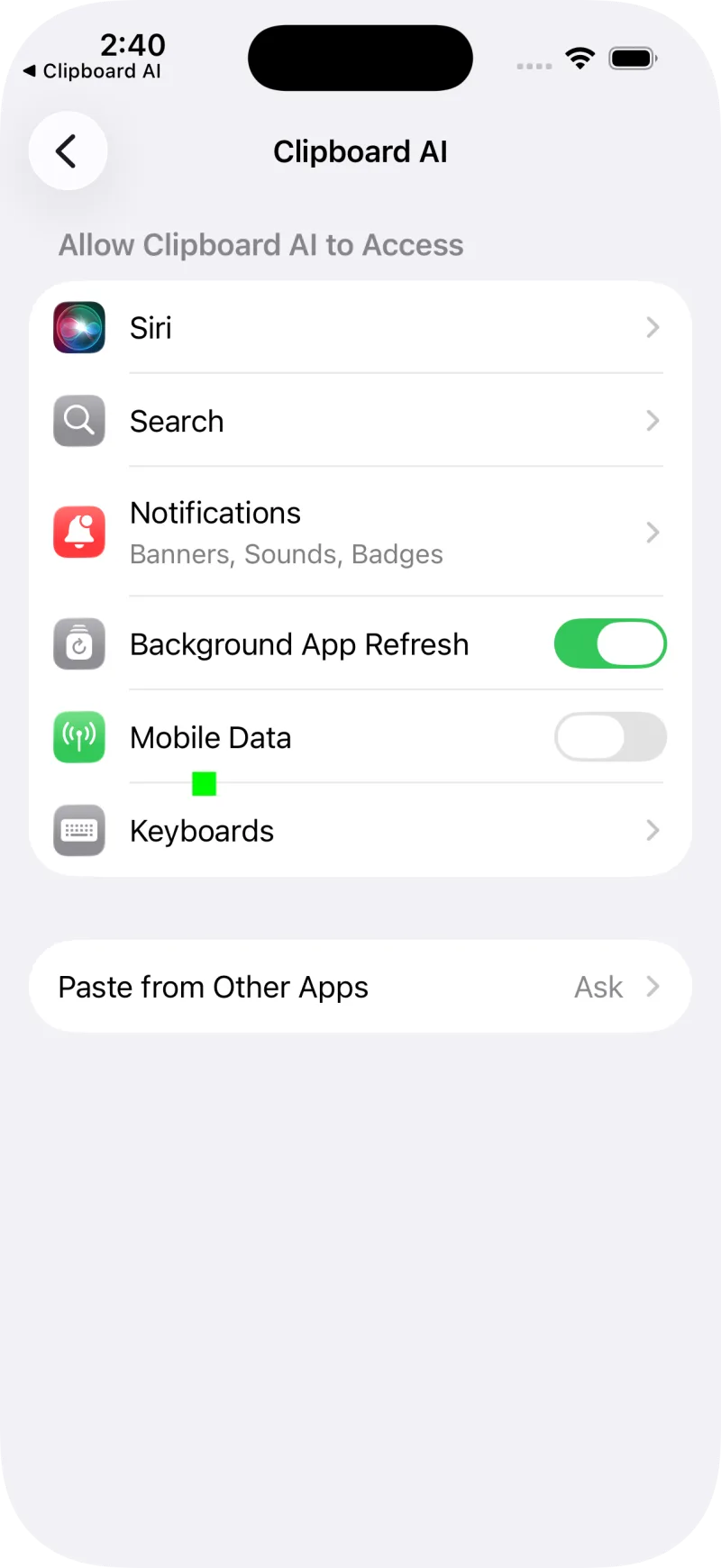
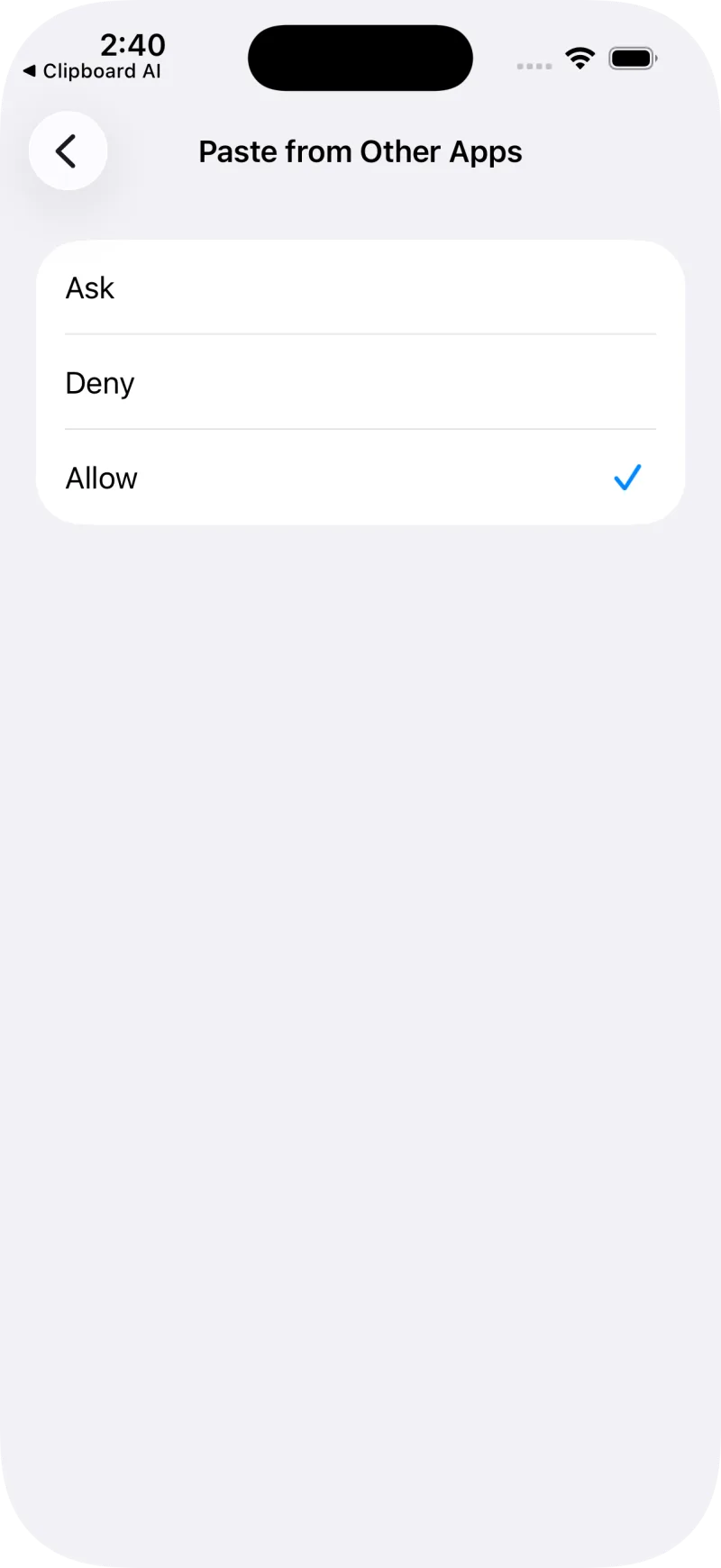
Go back to any app, copy some text, and open Clipboard AI. Your copy is already there, no prompt required.
Prefer to do it from inside the app?
Clipboard AI can take you straight to the right screen. Open the app, go to Settings, and turn on Quick allow auto-paste. A short guide appears with an Open Clipboard AI Settings button that drops you right onto the screen above.
Is this safe?
Yes. Allowing paste only lets Clipboard AI read what you copy so it can save it to your history. It does not give the app access to anything else, and you can change the setting back to Ask at any time from Settings > Clipboard AI > Paste from Other Apps.
Clipboard AI sorts your copies into categories right on your device. Nothing about this setting changes who can see your clipboard.