On this page
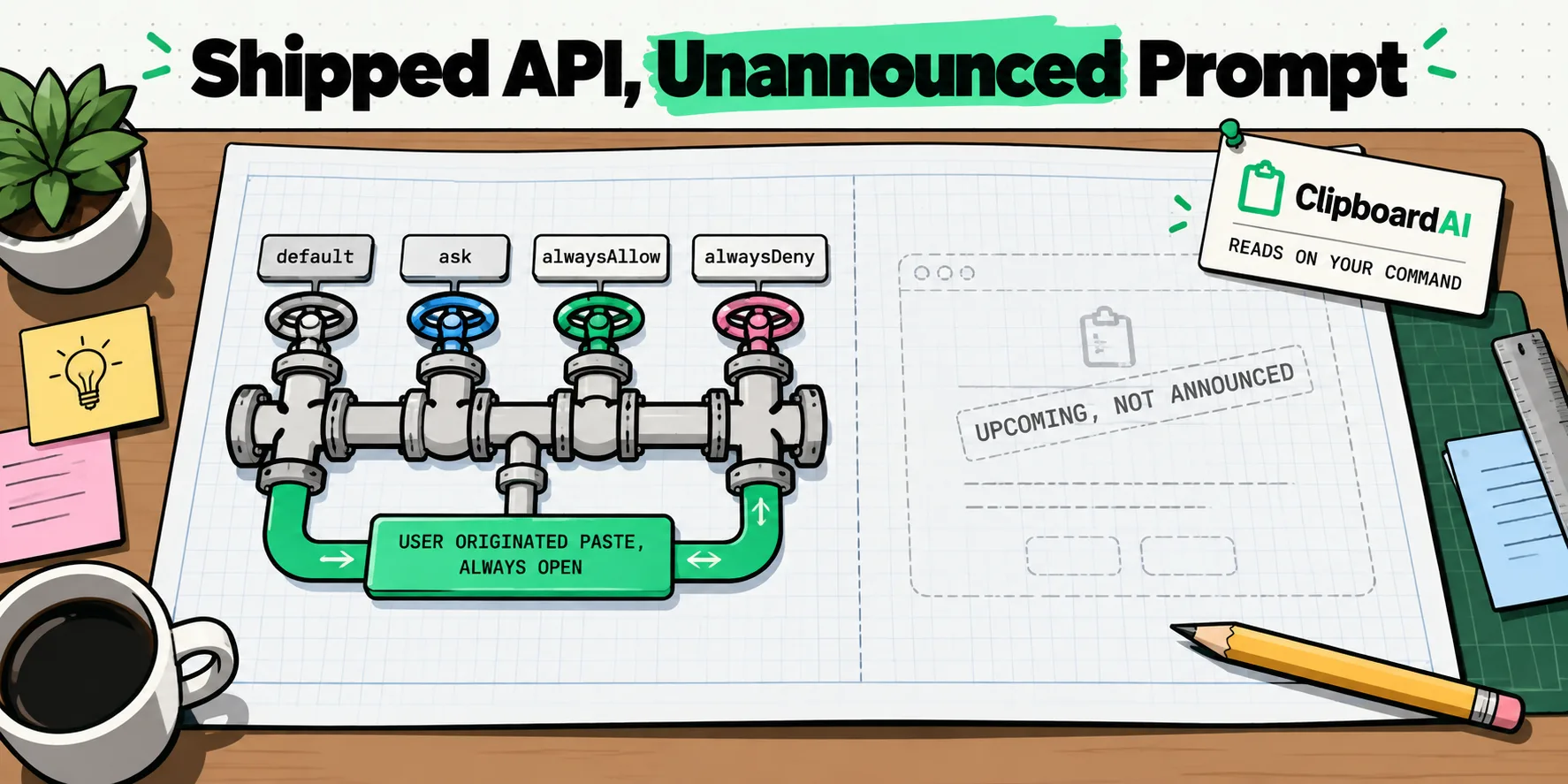
macOS has real pasteboard privacy plumbing, and it is not the same thing as a permission prompt you can go and switch off. NSPasteboard.accessBehavior is a shipped, non-beta API as of macOS 15.4, with four documented states. Apple's own AppKit release notes still describe the user-facing alert as an upcoming feature, and Apple's macOS 26 Privacy and Security guide lists no Pasteboard category. The API is real. The prompt is not something Apple has confirmed shipping.
That distinction is the whole story, and it is the one thing no page currently covering this topic gets right.
How a preview cycle turned into a fact
In May 2025 several outlets covered the same API discovery within about forty-eight hours of each other. Every one of those pieces was written in the future tense, because at the time the feature was future tense. Then the news cycle moved on and nobody went back.
The result is a search results page full of confident sentences about what macOS "will" do, being read years later by people who reasonably assume it already does. Ask an assistant whether macOS asks apps for clipboard permission and it is choosing between a pile of preview articles and Apple's documentation, which says something more careful than any of them.
The part that is real: four ways an app can declare itself
An app can set NSPasteboard.accessBehavior to one of four values. Apple's abstract for the property also says the person can customize this per app in System Settings for any app that has triggered a pasteboard access alert in the past, which tells you where this is going even though the destination is not documented anywhere else yet.
| State | What the app is declaring | Documented behavior |
|---|---|---|
default | No explicit choice made | Programmatic access to the general pasteboard asks. The app does not appear in System Settings until it has triggered an alert once, after which its behavior automatically becomes ask |
ask | Prompt me | Programmatic access raises the alert. Access that is "user originated and paste related" is always allowed without a notification |
alwaysAllow | Do not prompt | Programmatic reads proceed without an alert |
alwaysDeny | Refuse, quietly | Denied silently, with no alert to say so. The same user-originated paste carve-out still applies, so ordinary pasting keeps working |
Two details in that table are worth pulling out. The auto-transition from default to ask means an app's first alert is also the moment it becomes something you can configure. And alwaysDeny is documented as a silent denial, which is a deliberate design choice: an app that is refused does not get told, so it cannot nag you about it.
The carve-out that decides everything
The rule Apple actually documents is not about which key you pressed. It is about whether the access was both user originated and paste related. If it was, it is allowed without a notification, under ask and under alwaysDeny alike. Everything else in the design follows from that one sentence.
Here is how that rule maps onto things you do, with the honest gaps marked. The right-hand column is what follows from Apple's documented rule, not a description of shipped UI, because there is no confirmed shipped UI to describe.
| What happens | User originated and paste related? | What follows from the documented rule |
|---|---|---|
| You press Command-V | Yes | Allowed with no notification, under any behavior |
| You choose Edit, then Paste | Yes | Same |
| You right-click and choose Paste | Yes | Same |
| You click a system-provided paste control | Yes. That is the entire reason those controls exist | Same |
| An app reads the pasteboard the moment it launches, with no input from you | No | Exactly the case the alert is designed to surface |
| An app reads it while you are typing in a different app | No | Same |
An app polls changeCount on a timer | Apple does not address this case. Reading changeCount tells an app that something changed, not what it is | Not documented. Assume nothing either way |
| Content arrives from another device via Universal Clipboard | Apple does not address this case in the release note | Not documented |
The quietly interesting bit: reading the shape without reading the contents
Alongside the access behavior, Apple added detect methods that let an app examine what kinds of data are sitting on the pasteboard without reading the data itself, and without triggering an alert.
That is a bigger deal than it sounds. A huge amount of legitimate pasteboard reading exists only so an app can decide whether to offer you something: is there a URL here, so should the Paste button say Paste Link. Under the old model the only way to answer that question was to read the contents. The detect methods split the question in two, so an app can know the shape of what you copied without ever seeing the value. It is the rare privacy change that also makes the developer's job easier, which is usually the sign that it will actually get adopted.
Apple also shipped a developer preview switch, EnablePasteboardPrivacyDeveloperPreview, so developers can turn the behavior on locally and check their apps against it. A preview switch is itself evidence about where the feature is: you do not ship one of those for a feature that is already live for everyone.
What has not been announced
Being specific about ignorance is more useful than guessing. As things stand:
- Whether the user-facing alert has shipped in a public macOS 26 release is unconfirmed. Apple's release notes describe it as upcoming.
- The alert's wording is not published. Any quoted string you find comes from a developer preview or from somebody's paraphrase.
- There is no documented Settings path. Apple's macOS 26 guide to changing Privacy and Security settings enumerates roughly thirty-three permission categories, and Pasteboard is not one of them. The
accessBehaviordocumentation describes a per-app control in System Settings, so Apple has described a destination that its own user guide does not yet list. We are not going to invent the path to bridge that gap.
If a page tells you macOS 26 now asks apps for permission to read your clipboard, and gives you a Settings path to turn it off, ask where that path came from. Apple's own permission-category list does not contain a Pasteboard entry.
What you can actually do this minute
Since there is no switch to flip, the useful moves are habits rather than settings, and they take under a minute between them.
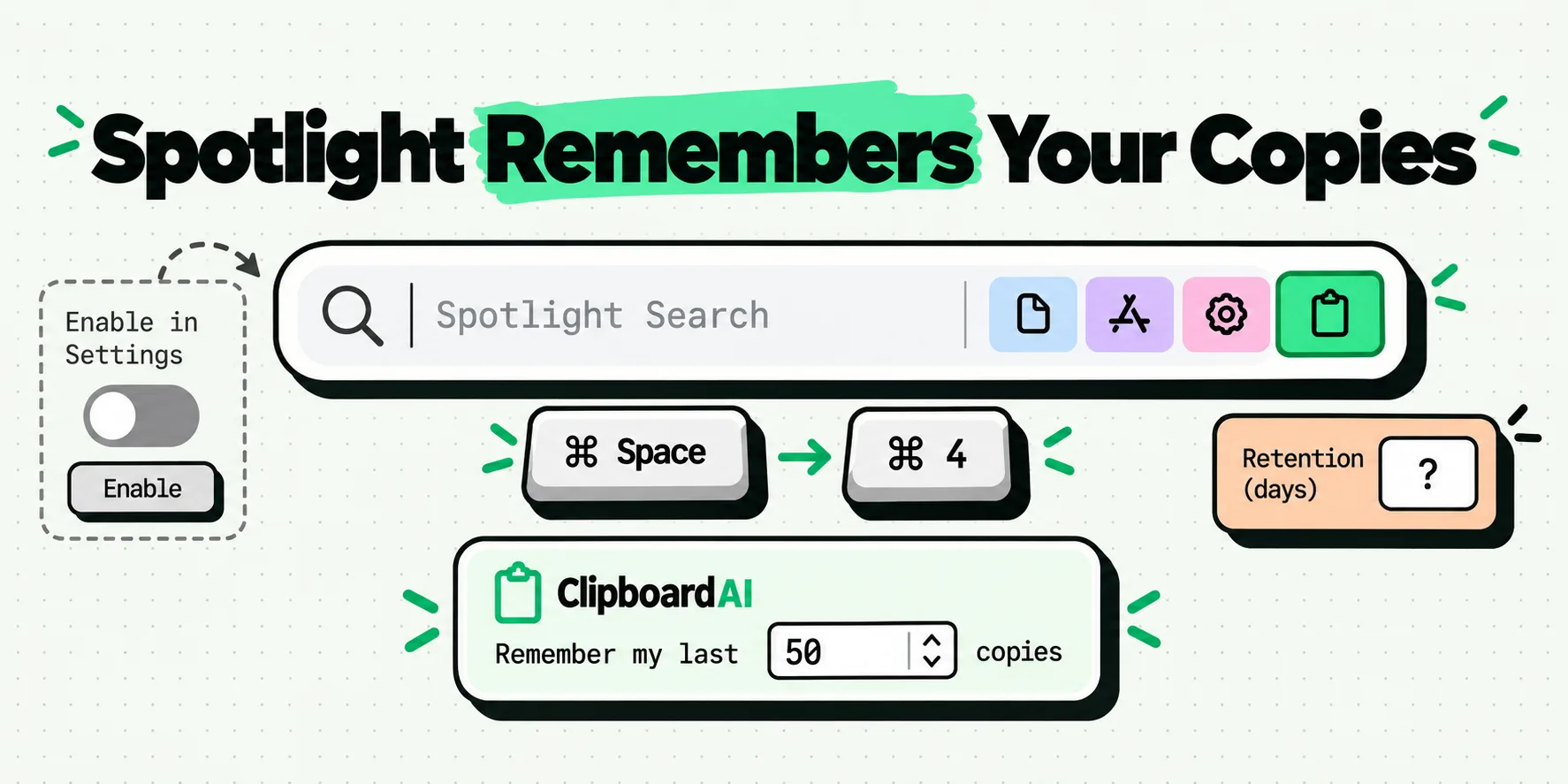
Overwrite secrets. After copying a password, a recovery code or an account number, copy anything else. A single word will do. The pasteboard holds one item at a time, so the secret stops being what any app would read, and it also stops being the newest entry in any history, including the clipboard history built into Spotlight.
Turn on your password manager's auto-clear. Most Mac password managers have a setting that wipes the clipboard some seconds after a copy. It is usually off or set long by default, and changing it is a thirty-second job.
Stop copying credentials at all where you can. AutoFill puts a password straight into the field. Nothing ever reaches the pasteboard, so nothing needs clearing, and no permission model is involved. Our longer piece on keeping passwords out of clipboard history covers the cases where that is not possible.
How ClipboardAI reads a Mac pasteboard
Everything you copy on a Mac lands in your history the moment you copy it, automatically and continuously, with no gesture and nothing to set up. Here is exactly how that works, on the record.
The Mac app watches the pasteboard with a background timer that reads changeCount, plus a key monitor for Command-C and Command-X. Reading changeCount tells the app that something new was copied, not what it says. It reads contents only after that counter moves.
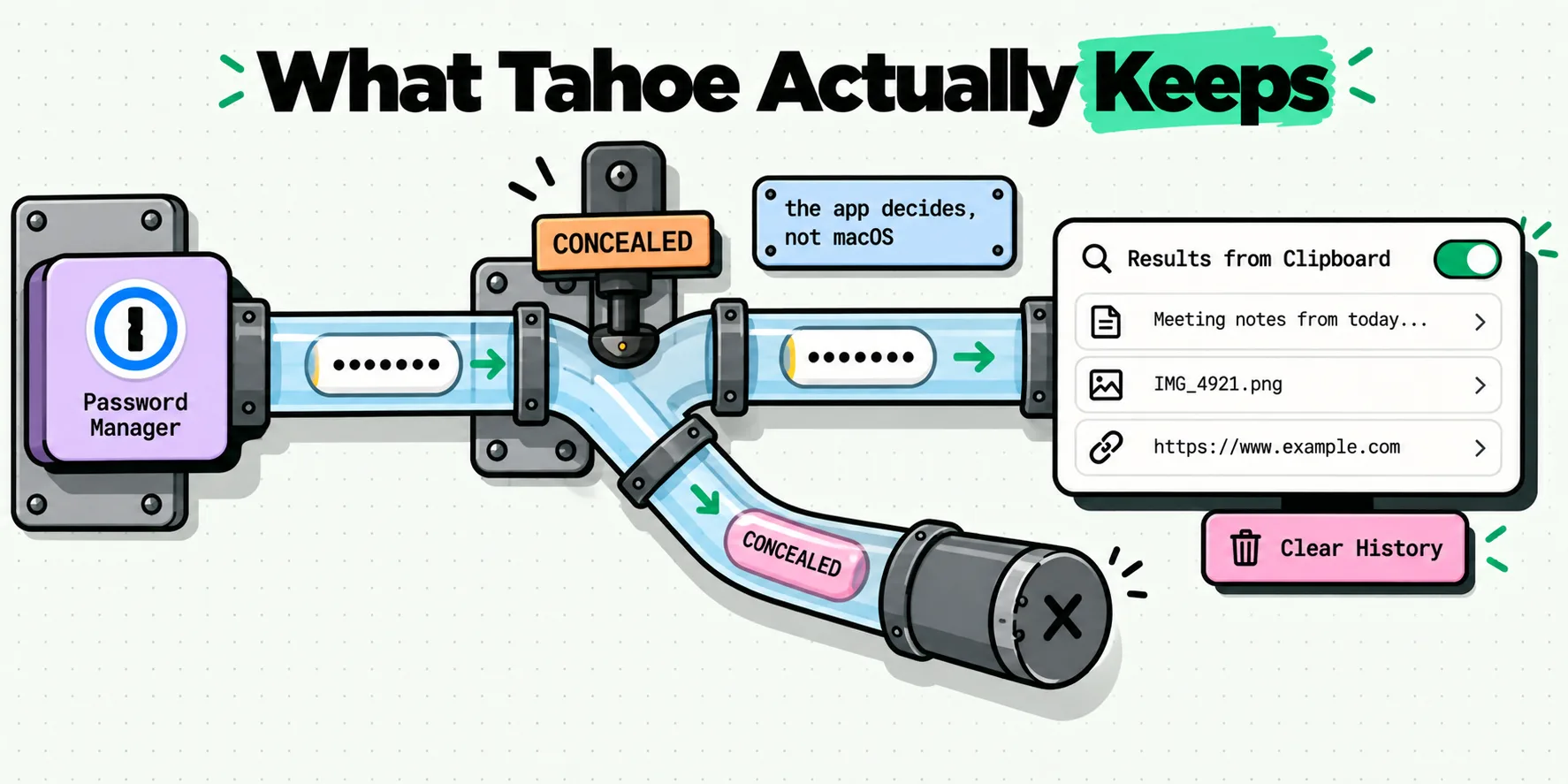
Two exclusions run before anything is stored, both on Mac. Copies flagged with the nspasteboard.org transient, concealed or auto-generated markers are dropped outright and never saved, which is how tools like 1Password, KeePassXC and BetterTouchTool opt their copies out. No setup is required for that. Separately, the Privacy tab has an Ignored Apps list, so nothing copied while one of those apps is frontmost gets saved at all. Both are covered in the Mac settings reference.
Both of those are macOS features, and they are part of why the Mac half of ClipboardAI is the hands-off half: it captures everything, skips what was flagged private, and asks nothing of you while it does it. Scope them to the Mac when you read about them, because the iPhone and iPad surfaces work differently. When Apple does confirm the alert, we will document how the Mac app behaves under it here; in the meantime the documented carve-out means your own Command-V keeps working whatever an app has declared.
Where clip content goes is settled and easy to state: your device, and with sync turned on, your own private iCloud database, TLS in transit and encrypted at rest by Apple. It never reaches a server we operate, because we operate none. That is the question worth asking of anything you install, and the checks that answer it take a few minutes.
The iPhone side of this story is genuinely different, and much more badly reported. If you have read that iOS has warned you about clipboard access since iOS 14, the documented version of that timeline is worth twenty minutes.
Frequently Asked Questions
Does macOS notify you when an app reads your clipboard?
Apple has documented the mechanism but not confirmed that the user-facing alert has shipped. The AppKit release notes still describe it as an upcoming feature, and Apple's macOS 26 guide to Privacy and Security settings lists roughly thirty-three permission categories with no Pasteboard entry among them. The underlying API, NSPasteboard accessBehavior, is real and shipped as of macOS 15.4. Treat any article that states the prompt is live as unverified.
Does pressing Command-V trigger a pasteboard alert?
No, and that is by design. Apple's documented rule carves out access that is both user originated and paste related, and says it is always allowed without a notification. That covers Command-V, the Edit menu's Paste command, right-click Paste and system-provided paste controls. The carve-out applies even when an app is set to always deny, so ordinary pasting keeps working no matter how the permission is configured.
Where is the clipboard permission setting on a Mac?
There is no documented path, and inventing one would be worse than saying so. Apple's accessBehavior documentation mentions a per-app control in System Settings for apps that have already triggered an alert, but Apple's own macOS 26 permission category list does not include Pasteboard or Clipboard. Until Apple documents where it lives, any specific Settings path you read came from somebody's guess or from a developer preview build.
Can a Mac app read my clipboard in the background?
An app you have installed and that is running can read the general pasteboard programmatically. That is exactly the behavior the accessBehavior states exist to govern, with four options ranging from asking every time to denying silently. It is worth keeping in proportion: this describes software you chose to install and run, not arbitrary code. The practical defense is to overwrite anything sensitive right after you copy it.
What is NSPasteboard accessBehavior?
It is the macOS API through which an app declares how programmatic pasteboard access should be handled, available since macOS 15.4. It has four documented states: default, ask, alwaysAllow and alwaysDeny. An app on default that triggers its first alert automatically moves to ask, at which point it becomes configurable per app. Apple also added detect methods so an app can check what kind of data is on the pasteboard without reading it.