
The fastest way to reuse something on your Mac: press one shortcut and a small floating menu drops down right at your cursor. Find the clip, press Return, and it pastes into whatever you are working in.
Press ⌘⇧V
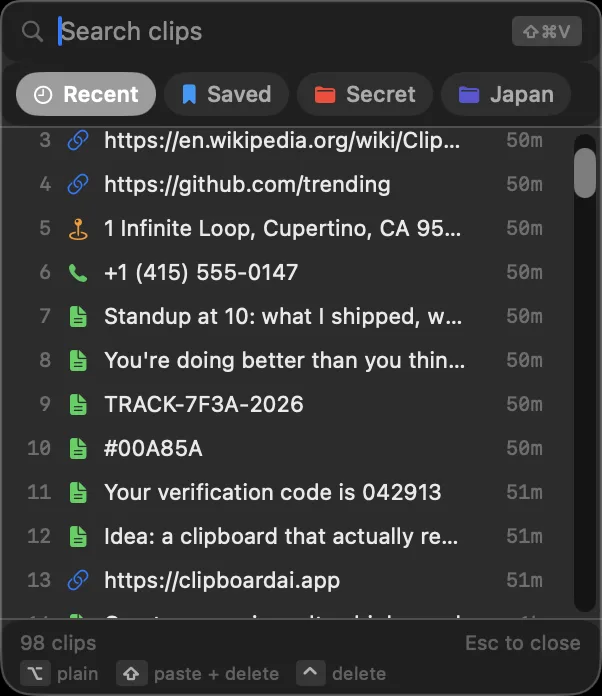
From any app, press ⌘⇧V. The Clipboard AI floating menu appears at your cursor with your recent clips. Start typing to filter, use the arrow keys to move, and press Return (or click) to paste the one you want.
Clipboard AI needs Accessibility access to paste for you. Turn it on once and it works in every app. See Turn on Accessibility so paste works.
Or pick from the full window
Want more than your most recent clips? Open All Clips from the menu bar and click any clip to paste it the same way.
Change the hotkey to whatever fits your hands. See Customize the hotkey and menu.
Hold ⌥ as you pick a clip to paste it as plain text, or make clean text the default in one click. See Paste without formatting on Mac.
Press ⌘P or click the pin and the menu stays on screen while you switch apps, so a form or a run of pastes never means summoning it again. See Pin the paste window and work through a session.
Select several clips at once and paste them all in order, or step through them one at a time. See Paste several clips at once on Mac.