On this page
The Short Answer
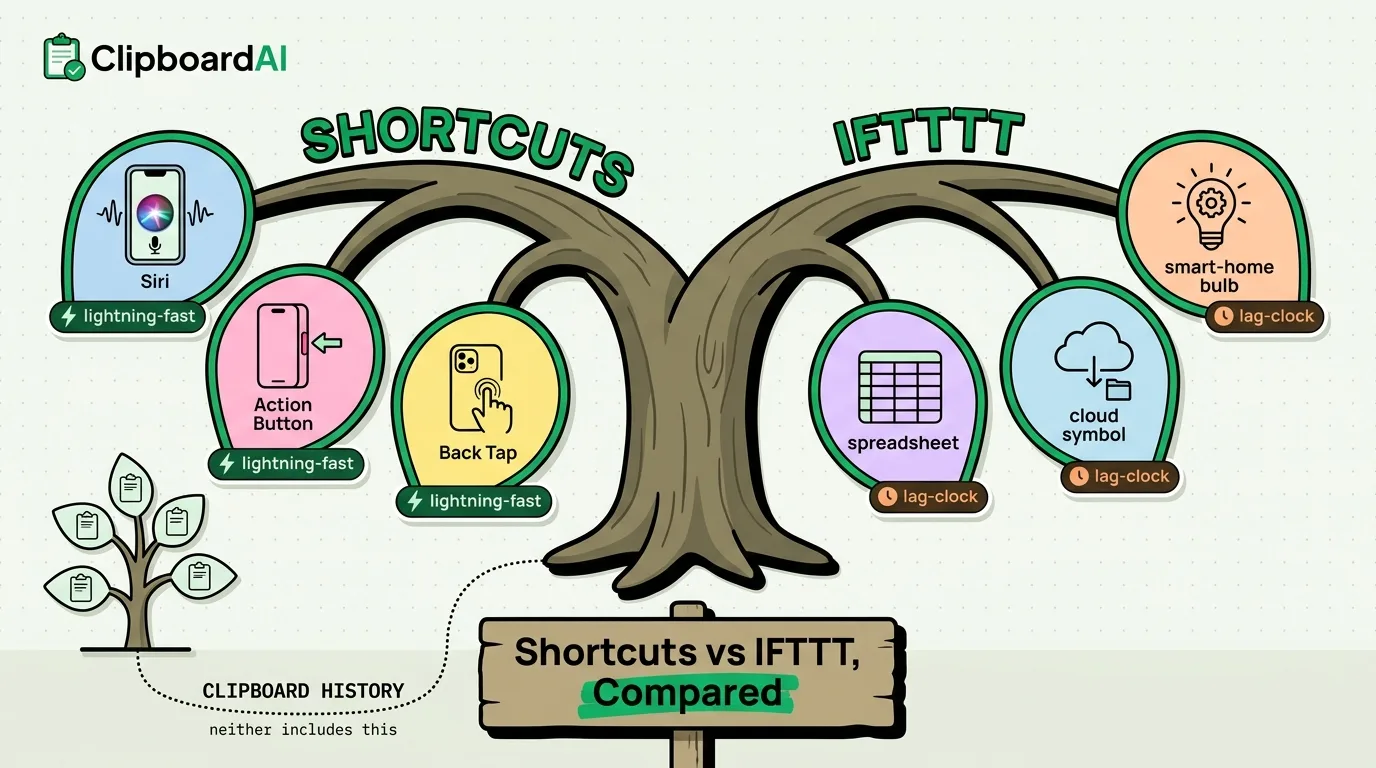
Shortcuts is Apple's free, built-in automation app that runs entirely on-device and integrates deeply with iOS features like Siri, the Action Button, and Back Tap. IFTTT is a cross-platform, cloud-based service that connects your phone to hundreds of third-party services (smart home devices, Google Sheets, Twitter, weather APIs) that Shortcuts cannot talk to directly. If your automations stay inside Apple's ecosystem, Shortcuts is the stronger, faster, more private choice. If you need to bridge into non-Apple services, IFTTT fills the gap Shortcuts leaves open.
Side-by-Side
| Apple Shortcuts | IFTTT | |
|---|---|---|
| Cost | Free, built into iOS | Free tier limited to 2 active applets; Pro plan required for more |
| Where it runs | On-device | Cloud-based, requires an internet connection to trigger |
| Apple integration | Deep: Siri, Action Button, Back Tap, widgets, Focus modes | Limited to what IFTTT's iOS applets expose, generally shallower |
| Third-party service reach | Narrower; mostly apps that publish Shortcuts actions | Very broad; hundreds of "if this then that" service connectors |
| Trigger speed | Near-instant, since it runs locally | Can lag by seconds to minutes since triggers are polled or webhook-based in the cloud |
| Data handling | Automation logic and data stay on-device unless a step explicitly sends data elsewhere | Your trigger data passes through IFTTT's servers to route between services |
Clipboard Integration: Neither Is a Clipboard Manager
Neither Shortcuts nor IFTTT gives you a searchable clipboard history out of the box. Shortcuts has a "Copy to Clipboard" and "Get Clipboard" action you can use inside an automation (for example, a shortcut that grabs the clipboard text and appends it to a note), but it only ever sees whatever iOS's single-item clipboard currently holds. IFTTT has no direct clipboard access on iOS at all, since Apple's sandboxing does not expose the system pasteboard to background cloud services.
If what you actually want is to stop losing what you copy, that is a different job than either tool solves. A clipboard manager like ClipboardAI saves every copy automatically, categorizes it, and lets you search back through it, which is complementary to Shortcuts rather than competing with it. You could build a Shortcut that pulls your latest copy and does something with it, but only ClipboardAI keeps last week's copies around to choose from.
Which One to Actually Use
- Pick Shortcuts if your automations involve other Apple apps, Siri phrases, Focus modes, or you want zero recurring cost and no cloud dependency.
- Pick IFTTT if you need to connect a non-Apple smart home device, a spreadsheet, or a web service that has no Shortcuts action of its own.
- Use both if you are automating across ecosystems: many people trigger an IFTTT applet from inside a Shortcut, or vice versa, to get the best of on-device speed and cross-platform reach.
Frequently Asked Questions
Is IFTTT still free?
IFTTT offers a limited free tier (typically capped at a small number of active applets); heavier use requires a paid plan. Check IFTTT's current pricing page before committing, since free-tier limits have changed over time.
Can Shortcuts replace IFTTT entirely?
Only if every service you want to automate publishes a native Shortcuts action or supports Apple's automation frameworks. Many smart-home and web services still only integrate through IFTTT's connector library.