On this page
The Bottom Line
You do not need a dedicated Pomodoro app to run the technique on iPhone. The built-in Clock app's timer plus Focus Mode covers the core loop (25 minutes of work, 5 minute break) with zero installs. A dedicated Pomodoro app adds streak tracking and automatic break-timer chaining, useful if you want the data, unnecessary if you just want the structure.
Setup With Zero Extra Apps
- Open Clock > Timer, set 25 minutes, and give it a label if you want ("Focus block").
- Before starting, swipe down and turn on a Focus Mode (Settings > Focus, or Control Center) to silence non-essential notifications for the duration. Create one specifically for deep work if you do not already have one.
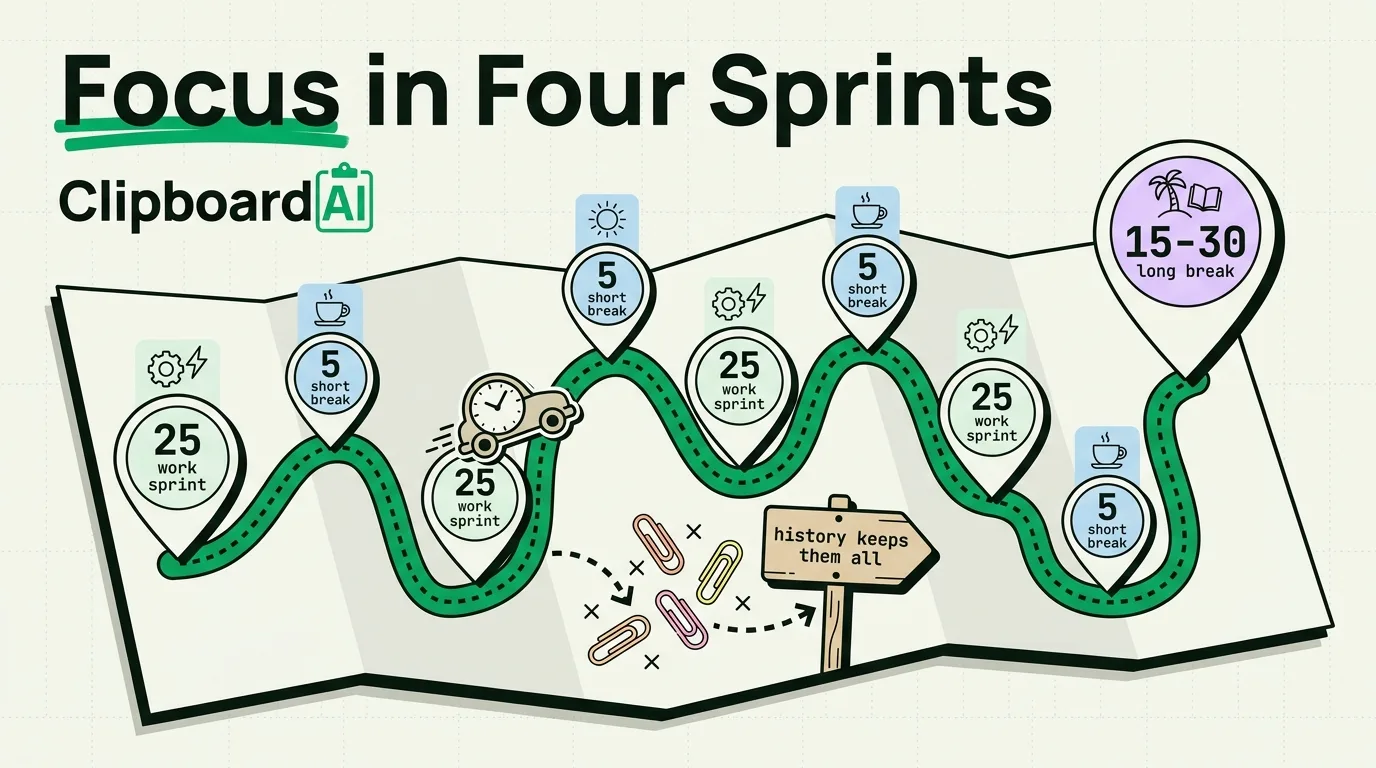
- When the timer ends, set a second 5-minute timer for your break, then repeat. After four cycles, take a longer 15 to 30 minute break.
This costs nothing and takes about 90 seconds to set up each time. Its downside is exactly that: you have to manually restart the timer for each cycle, and there is no record of how many cycles you completed today versus last week.
When a Dedicated Pomodoro App Is Worth It
A dedicated app helps if you specifically want automatic cycle chaining (timer restarts itself into a break, then back into work, without you touching your phone) or a visual log of completed sessions over days and weeks. If neither matters to you, the native Clock + Focus combination above is genuinely sufficient long-term, not just a stopgap.
What Actually Breaks a Focus Block
The Pomodoro Technique assumes uninterrupted work, but the most common interruption on iPhone is not a notification, it is switching away mid-task to look something up, then getting pulled into something else entirely. A related, quieter failure mode: copying something mid-task (a reference, a number, a link) and then, three minutes later, needing to copy something else, silently losing the first thing because iOS only remembers your single most recent copy.
If your work blocks involve moving information between apps, referencing numbers, pasting links, filling forms, that specific interruption is worth solving separately. ClipboardAI keeps a running history of everything you copy during a session, so a focus block that involves five or six copy actions does not require you to re-find the first one after copying the sixth.
Native vs. Dedicated App
| Factor | Clock + Focus Mode | Dedicated Pomodoro app |
|---|---|---|
| Cost | Free, built-in | Usually free with optional paid tier |
| Setup time | ~90 seconds each cycle | One-time setup, then automatic |
| Session history/streaks | None | Yes |
| Auto-chains work/break cycles | No, manual restart each time | Yes |
Honest Caveat
The Pomodoro Technique itself does not fit every kind of work. Tasks that require long uninterrupted flow (writing, deep debugging) sometimes suffer from a hard 25-minute cutoff. Treat 25/5 as a starting default, not a rule, and adjust the interval to match the task.
Frequently Asked Questions
Does Focus Mode block all notifications?
No, only from apps and people you have not explicitly allowed through. You configure allowed contacts and apps per Focus Mode in Settings > Focus.
Can I trigger Focus Mode automatically when I start a timer?
Not natively linked, but you can build a Shortcuts automation that turns on a specific Focus Mode when you open the Clock app or a Pomodoro app, via Shortcuts > Automation.