
Clipboard AI is free to use, with a few limits. Pro lifts them and unlocks sync across your devices. Here is what you get and how billing works.
What Pro unlocks
- Unlimited history. The free plan keeps your last 10 copies; Pro keeps everything.
- Unlimited saves, beyond the 5 saved clips on the free plan.
- Collections, so the clips you reuse together stay together.
- iCloud sync across iPhone, iPad, and Mac.
- Apple Intelligence rewrites: Summarize, Key Points, Proofread, Make Professional, Make Friendly, and Shorten, on an iPhone that supports Apple Intelligence. See Clean up and transform text.
Everything else is free and stays free: capturing clips, the keyboard, smart categories, search, custom names, text in images, the nine text tools, widgets, and exporting your clips to a file.
When the free plan is full, the copy or the save you just made is held, not thrown away. Upgrade and it completes on its own, along with everything after it.
Plans and the free trial
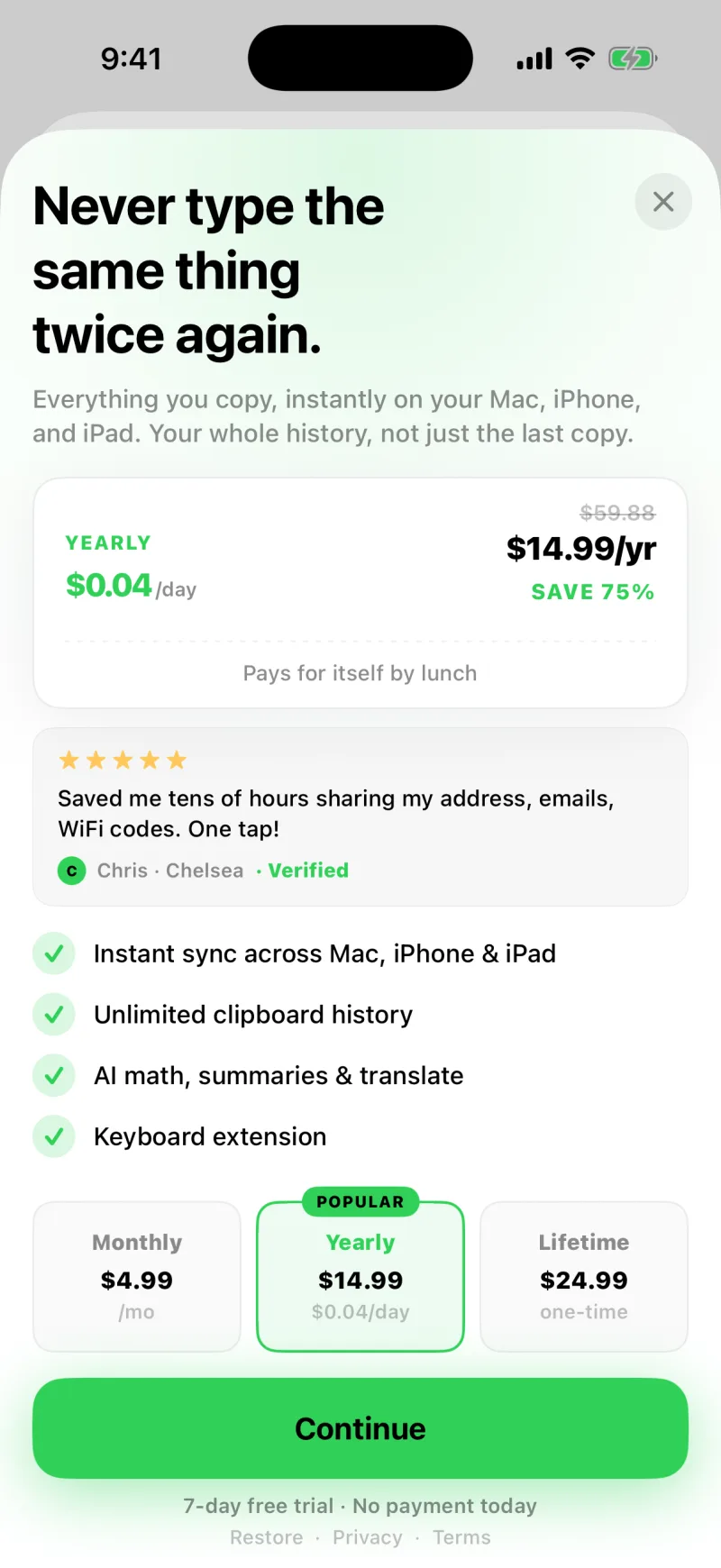
Pro comes as a yearly subscription, or a one-time Lifetime unlock if you would rather pay once and never see a renewal. The yearly plan starts with a 7-day free trial: nothing is charged until the trial ends, and if you cancel before then you pay nothing at all. Both plans are billed through your Apple Account. Yearly renews unless you cancel; Lifetime never renews.
Subscriptions are handled by Apple. To change or cancel, including before a trial ends, open the Settings app on your iPhone, tap your name, then Subscriptions.
The trial is for new subscribers, once per Apple Account, which is Apple's rule for introductory offers. If you have subscribed before, the Pro screen shows the regular yearly price instead. Lifetime is a one-time purchase, so it has no trial.
Restore a purchase
Got a new phone, or already paid? Open Settings inside Clipboard AI and tap Restore Purchases. As long as you are signed into the same Apple Account, your Pro unlock comes right back.
If you are already subscribed, you can switch to the one-time Lifetime unlock from the same Pro screen.