
The Bottom Line
Most iPhone productivity advice assumes everyone's peak hours look the same, which is why generic tips ("check email first thing," "no phone after 9pm") only work for part of the audience. The setup below splits by chronotype: what to change if your best hours are early morning versus late at night.
If You're an Early Bird
| Setting | Configuration | Why |
|---|---|---|
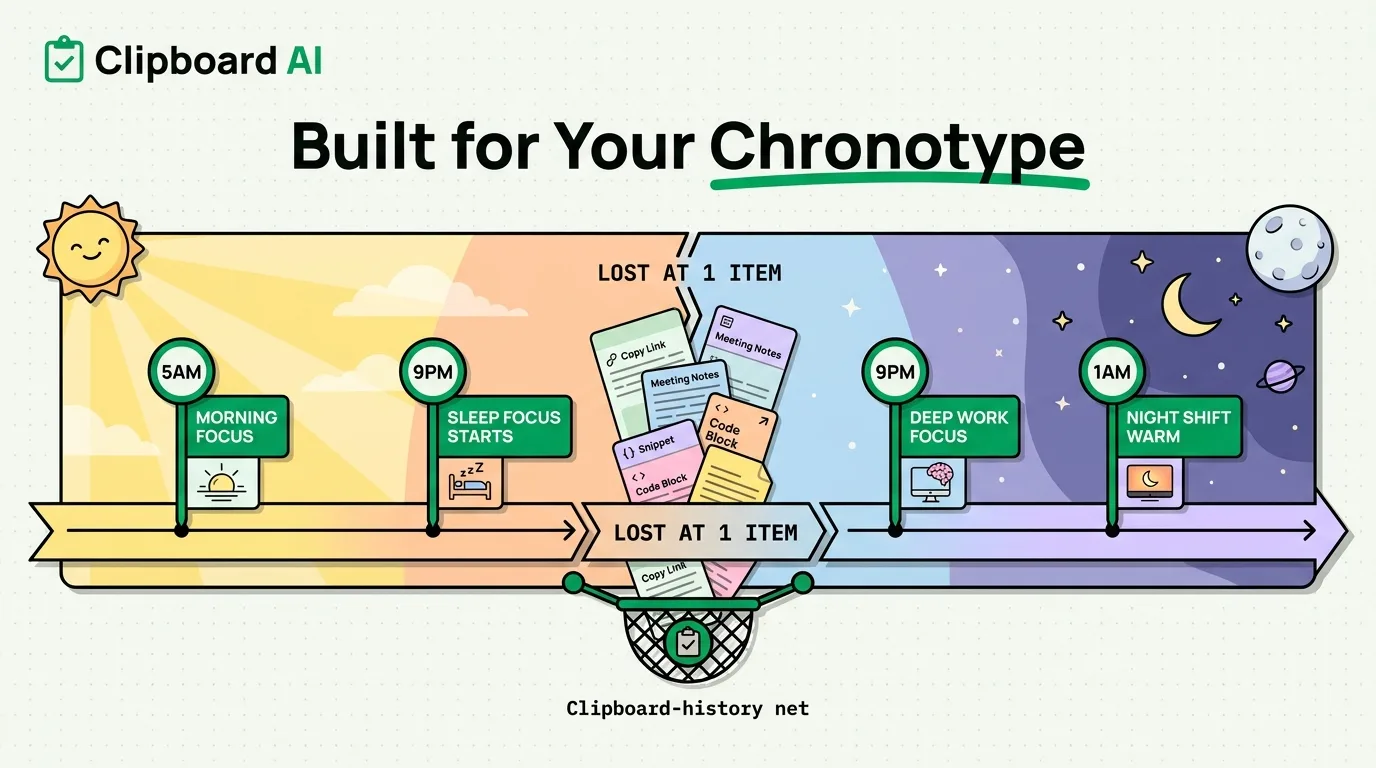
| Focus mode schedule | "Morning Focus" active 5am-9am, allowing only high-priority apps | Protects your highest-energy window from low-value notifications before the rest of the world wakes up |
| Do Not Disturb bedtime | Set to start 9-9:30pm under Settings > Focus > Sleep | Early birds' energy drops earlier in the evening; the phone should stop competing for attention correspondingly earlier |
| Screen Time app limits | Apply limits starting around 8pm rather than a blanket all-day limit | Matches when willpower actually drops for this chronotype instead of restricting hours when you're naturally most alert |
If You're a Night Owl
| Setting | Configuration | Why |
|---|---|---|
| Focus mode schedule | "Deep Work" active 9pm-1am, allowing only high-priority apps | Protects the late window where night owls actually do their best thinking, which most default productivity advice ignores entirely |
| Night Shift / True Tone | Settings > Display & Brightness > Night Shift, scheduled from sunset, with color temperature pushed warmer than default | Reduces blue light exposure during the hours night owls are most likely to be on-screen close to actual sleep time |
| Morning Do Not Disturb | Extend Sleep Focus later, e.g. until 9-10am | Prevents early morning notifications from disrupting a later sleep schedule that does not match a 6am default assumption |
The Problem Both Chronotypes Share
Regardless of when your peak hours are, the same failure mode shows up: you have a burst of good ideas or copy several useful links and notes during your peak window, and by the time you're at a computer or in a calmer state, half of it is gone because iOS only remembers the single most recent thing you copied. This hits night owls especially hard, since late-night browsing and idea-capturing rarely gets transcribed anywhere before falling asleep.
A clipboard manager with history removes the "capture it now or lose it" pressure. ClipboardAI keeps everything you copy in order, so a 1am research binge or a 6am flash of ideas both survive until you actually have time to act on them, instead of being overwritten by the next thing you copy.
A Caveat on Chronotype Advice
Chronotype is a real, studied phenomenon, but most people are not purely one type or the other, and shift work, parenting, and irregular schedules can override natural tendencies entirely. Use the tables above as a starting configuration to adjust, not a rigid schedule to force yourself into if your actual life does not match it.
Frequently Asked Questions
Can I have two different Focus mode schedules on iPhone for different times of day?
Yes. Under Settings > Focus, you can create multiple Focus modes (e.g., "Morning Focus" and "Deep Work") and schedule each for different times, and they will activate automatically without manual toggling.
Does Night Shift actually help night owls sleep better?
Reducing blue light in the hours before sleep is generally associated with less disruption to melatonin production, though individual results vary. It is a low-effort adjustment worth trying rather than a guaranteed fix.
Why do I lose ideas or links I copied late at night?
iOS's built-in clipboard holds only the single most recent item you copied. Anything copied before that is gone the moment you copy something new. A clipboard manager with history prevents this by keeping a running list of everything copied, not just the last item.