
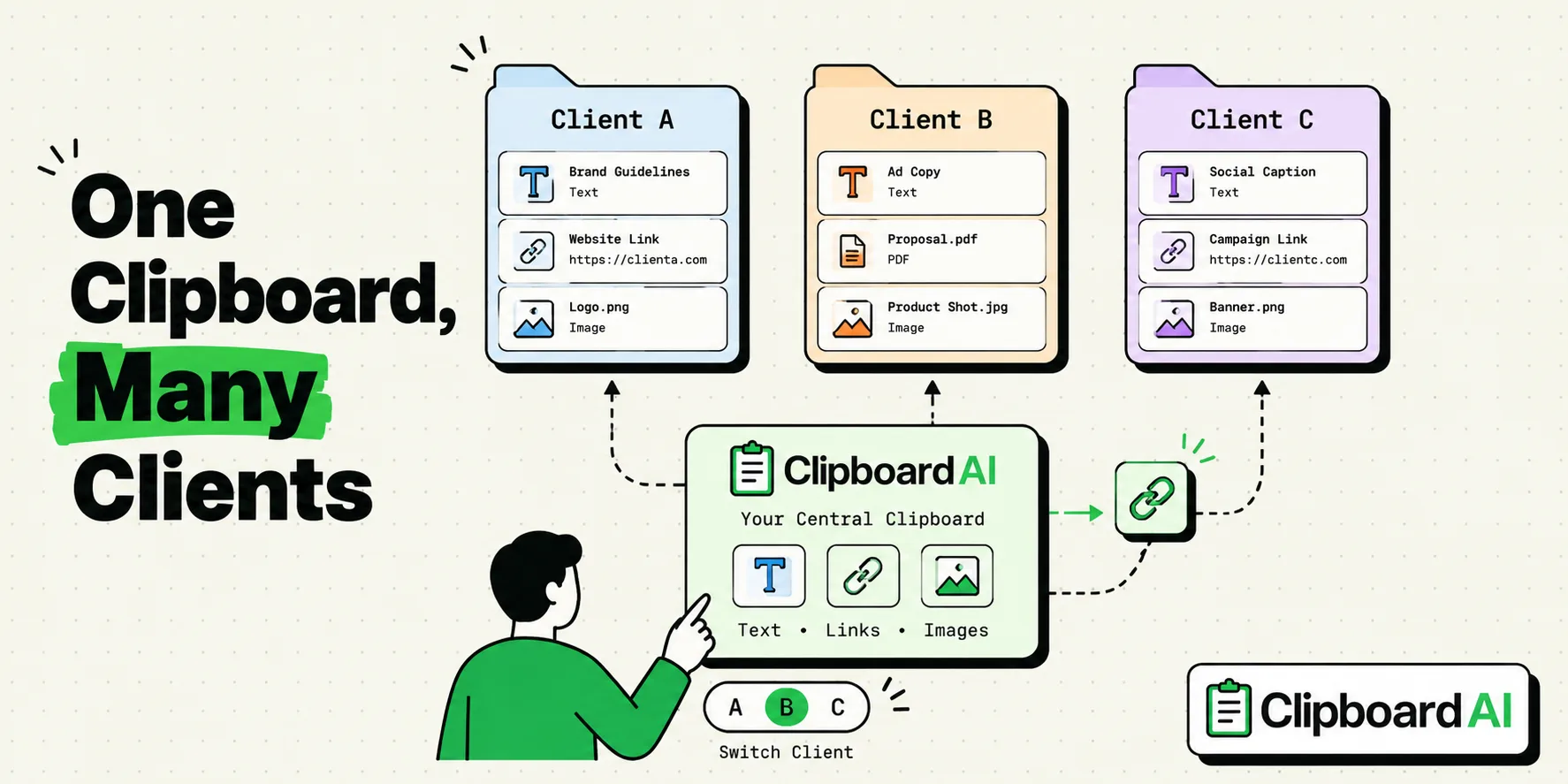
To maintain absolute data privacy and optimize productivity across multiple client projects, independent consultants should use a local-first clipboard manager like ClipboardAI. Standard operating systems only support a single clipboard slot, meaning copies get overwritten and lost during intense multitasking. A clipboard manager stores your copy history and organizes it into client-specific categories, giving you instant access to proposal templates, project metrics, and client coordinates without the risk of cross-contaminating client data.
As a consultant, you are bound by non-disclosure agreements (NDAs). Accidental copy-paste leaks - such as pasting Client A’s financial benchmarks or proprietary metrics into Client B’s slide deck - can lead to immediate contract termination and legal liability. Always isolate your clipboard directories by client and run your clipboard manager in local-only mode to prevent private business data from syncing to unauthorized cloud servers.
A consultant’s day is built around switching contexts. You are writing a pitch deck for a startup in the morning, auditing a retail brand’s supply chain at noon, and drafting a statement of work (SOW) for a corporate client in the afternoon.
Each transition requires different files, brand assets, terminology, and reference points. Here is how to build a secure, efficient clipboard system that supports this multi-client workload.
1. Preventing Cross-Client Data Leaks
The most severe risk when working with multiple clients is the "wrong paste" accident. If you are editing a template proposal and use the default system clipboard, it is easy to paste a case study containing another client’s confidential revenue numbers.
The Separation Protocol:
- Create Client Categories: Configure ClipboardAI with a dedicated tab or folder for each client. Label them clearly (e.g.,
Client - Project Zenith,Client - Retail Audit). - Pin Specific Brand Assets: Pin the client’s hex colors, company address, billing codes, and preferred formatting rules within their folder.
- Auto-Clear Sensitive Workbooks: When you copy financial statistics or employee headcounts from client spreadsheets, immediately overwrite the clipboard by copying a blank space or a generic word once you paste the numbers. This prevents the numbers from sitting in active system memory.
[Proposal Document] <───(Paste Client Alpha Folder Only)─── [Client Alpha Snippets]
                                                          * Protected by NDA
                                                          * Local SQLite Storage
2. Speeding Up Proposal and SOW Generation
Consulting agreements and statements of work often share structural components. Instead of rewriting these sections or digging through past documents to copy old formats, save standard boilerplate sections in your clipboard manager.
Key Snippets to Save:
- Payment Terms & Milestones: Pinned blocks detail net-30 terms, milestone payments, and deposit protocols.
- Review Cycles: A standard clause detailing how many revision rounds are included in the scope.
- Out-of-Scope Disclaimers: A snippet outlining how additions to the SOW will be billed.
The Consultant's Proposal & Status Update Snippet Kit
Use these templates to quickly draft project updates, follow-ups, and project milestones. Copy these templates into your ClipboardAI workspace:
Weekly Project Status Update Template
Project: [Project Name]
Reporting Period: [Date Range]

Hi [Client Lead Name],

Here is our weekly progress report for [Project Name]:

Key Achievements This Week:
- Completed [Milestone 1 / Task 1]
- Analyzed [Dataset / Review Item]
- Drafted [Document / Deliverable Name]

Next Steps for Next Week:
- Initiate [Task A]
- Conduct interviews with [Stakeholder Team]
- Send [Deliverable B] for review

Current Roadblocks/Items Requiring Your Input:
- [Item 1 / None]

Please let me know if you have any feedback or would like to schedule a quick call to align.

Best,
[My Name]
Fee Proposal Clause Template
Fee and Payment Schedule:
The total fee for the services detailed in this Statement of Work is $[0.00], exclusive of applicable taxes.

The fee will be invoiced according to the following milestone schedule:
- Retainer Fee (Due upon signing): 25% ($[0.00])
- Milestone 1 ([Deliverable Name]): 25% ($[0.00])
- Milestone 2 ([Deliverable Name]): 25% $[0.00])
- Final Delivery & Handover: 25% ($[0.00])

All invoices are subject to Net-30 payment terms from the date of invoice issuance.
Out-of-Scope Change Request Clause
Any request for services not explicitly detailed in the Scope of Work (SOW) of this Agreement will be considered out-of-scope. Such requests will be documented in a Change Request and billed at our standard advisory rate of $[0.00] per hour, or executed under a separate SOW.Honest Caveats: Universal Clipboard and Sync Limitations
While a clipboard manager will save you hours of work, understand these operational limitations:
- The iCloud Handoff Threat: If you use Apple's native Universal Clipboard, copying a client's internal metric on your Mac will write it to your iPhone’s RAM. If you then paste a link on your phone in a messaging app, you might accidentally send the copied metric. If you work on highly sensitive client files, disable Handoff in system settings.
- Telemetry and Privacy Policies: Some free clipboard managers send diagnostic reports and telemetry back to their servers. If you are handling corporate client files, audit the telemetry settings of your clipboard app. Ensure all data tracking is turned off.
- Large Files: Do not copy huge data tables (e.g., 50,000 Excel cells) to your history database. This can cause the clipboard utility database to bloat, slowing down your search index. Use CSV exports for massive data sets.
Consulting NDA Compliance Checklist
| Item | Control Step | Status |
|---|---|---|
| Telemetry | Disable background analytics and telemetry in ClipboardAI. | [ ] |
| Sync | Toggle Cloud Sync to OFF when working with enterprise clients. | [ ] |
| History Length | Set Auto-Delete Old Clips to 30 days (the shortest available window). | [ ] |
| Purging | Run "Clear History" immediately after concluding a client project. | [ ] |
| Credentials | Block all password managers from logging into history. | [ ] |
Frequently Asked Questions
Can my clients detect that I am using a clipboard manager?
No. Clipboard managers run as local helper applications on your device. They do not interact with client networks, do not add headers to documents, and do not notify users when text is copied.
How do I safely move clipboard files from my Mac to my client-managed laptop?
Do not use shared cloud accounts. Instead, copy the files using an encrypted local flash drive, or use the client’s approved secure transfer system (e.g., Citrix or secure corporate Slack).
What is the safest way to store client hex colors and logos?
Create a dedicated category in ClipboardAI named "Client Brand Assets" and pin them. Because brand color codes and logo links are public assets, keeping them pinned poses zero security risk.
Methodology Note: The multi-client workflow controls and proposal templates featured in this article were tested across Google Docs, MS Word, and Slack on macOS Sequoia over 15 hours of simulated consulting operations.